Visual builder: Build pages from ready-made sections
AI drafts the sections you haven't written yet from your own content, and every section already follows your theme and works on phones.
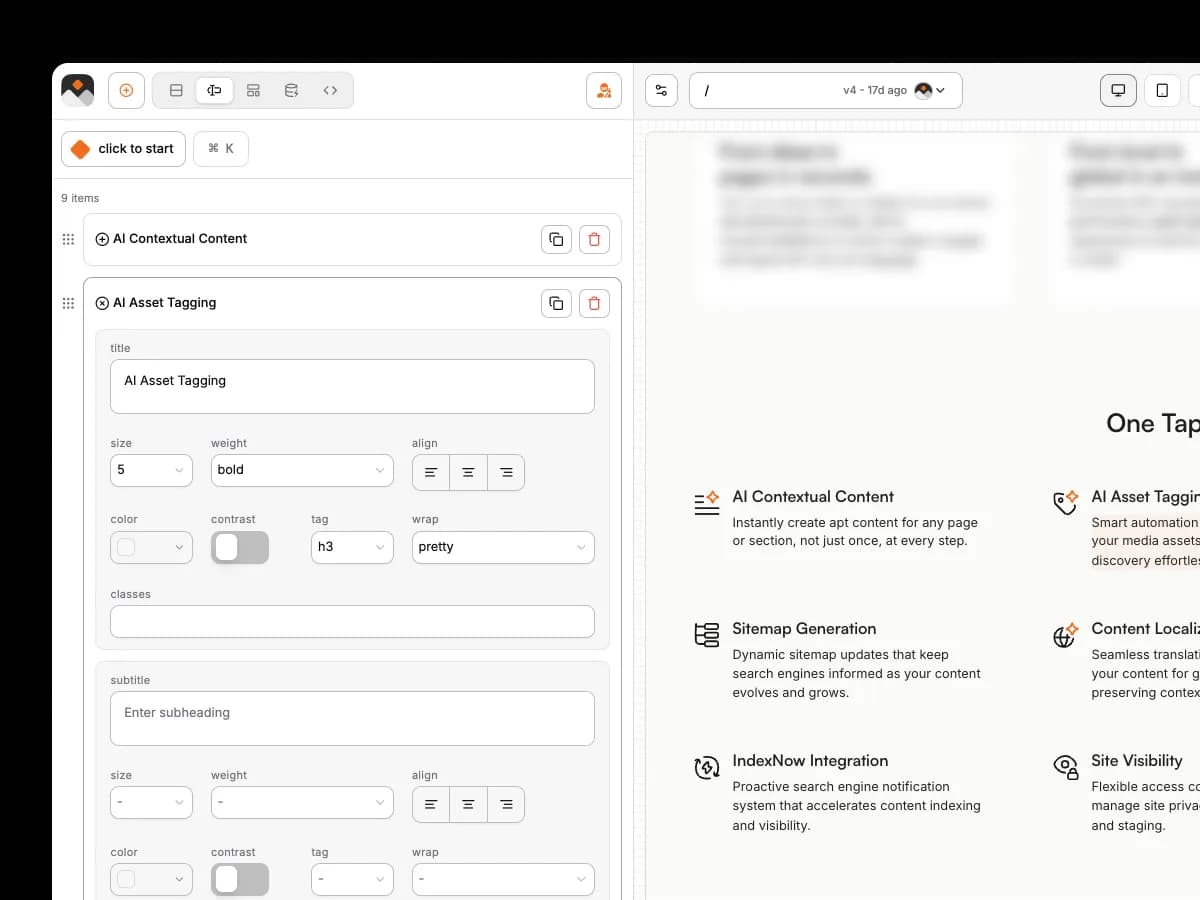
Visual builder: Build pages from ready-made sections
AI drafts the sections you haven't written yet from your own content, and every section already follows your theme and works on phones.
What are Visual builder?
The visual builder is where you make and change every page on your Pixelesq site. You build from a library of nearly 100 ready-made sections, arrange them in the order you want, and edit words and images while the page updates in front of you.
Ship pages on your own schedule
Landing pages and case studies go live when marketing is ready, and developers stay on product.

One brand across every page
New pages match the rest of the site, so nobody spends time fixing fonts and spacing.
Pages that are ready to be found
Search engines and AI assistants can read every page you publish, with no checklist to run.
Magic Add writes the section a page is missing
It spots the gap, such as a FAQ, and writes it from facts already on your site.
Drop in any section and it arrives already filled
Magic Drop fills it with your copy, your images, real links and entries from your collections.
Describe a change and Pixel makes it for you
Build a header, footer or any block once, use it everywhere, and update it in one place.
Sections for every part of a page
Heroes, features, pricing, forms, FAQs, testimonials and stats, grouped so the right one is easy to find.
Drag to reorder
Magic Drop fills it with your copy, your images, real links and entries from your collections.
Shared headers and footers
Point at a heading and ask for a rewrite, a new section or a better SEO title.
Page templates
Save a layout as a template so every new case study or service page starts the same way.
Buttons that go somewhere
Link suggestions fill empty buttons with real pages, and publishing flags any button that still points nowhere.
Right on every screen
Preview desktop, tablet and phone, and adjust a style for one screen size without touching the others.
Frequently Asked Questions
No. Every section is already designed and coded, so you just change words, images and settings.
Build your next page on Pixelesq today
Try it with every Scale feature for 14 days and see a real page take shape. No card needed.


