No-code website builders compared: who runs the site after launch?
Webflow and Framer suit designers, Wix and Squarespace suit small businesses, and Pixelesq suits marketing teams.
Which no-code website builder should a marketing team choose?
Webflow and Framer suit designers who want control of every element, through Webflow's class-based designer or Framer's freeform canvas. Wix suits small businesses that want selling, bookings and a CRM in one account, Squarespace pairs polished templates with a store on every plan, and Duda suits agencies that build sites for clients under their own brand.
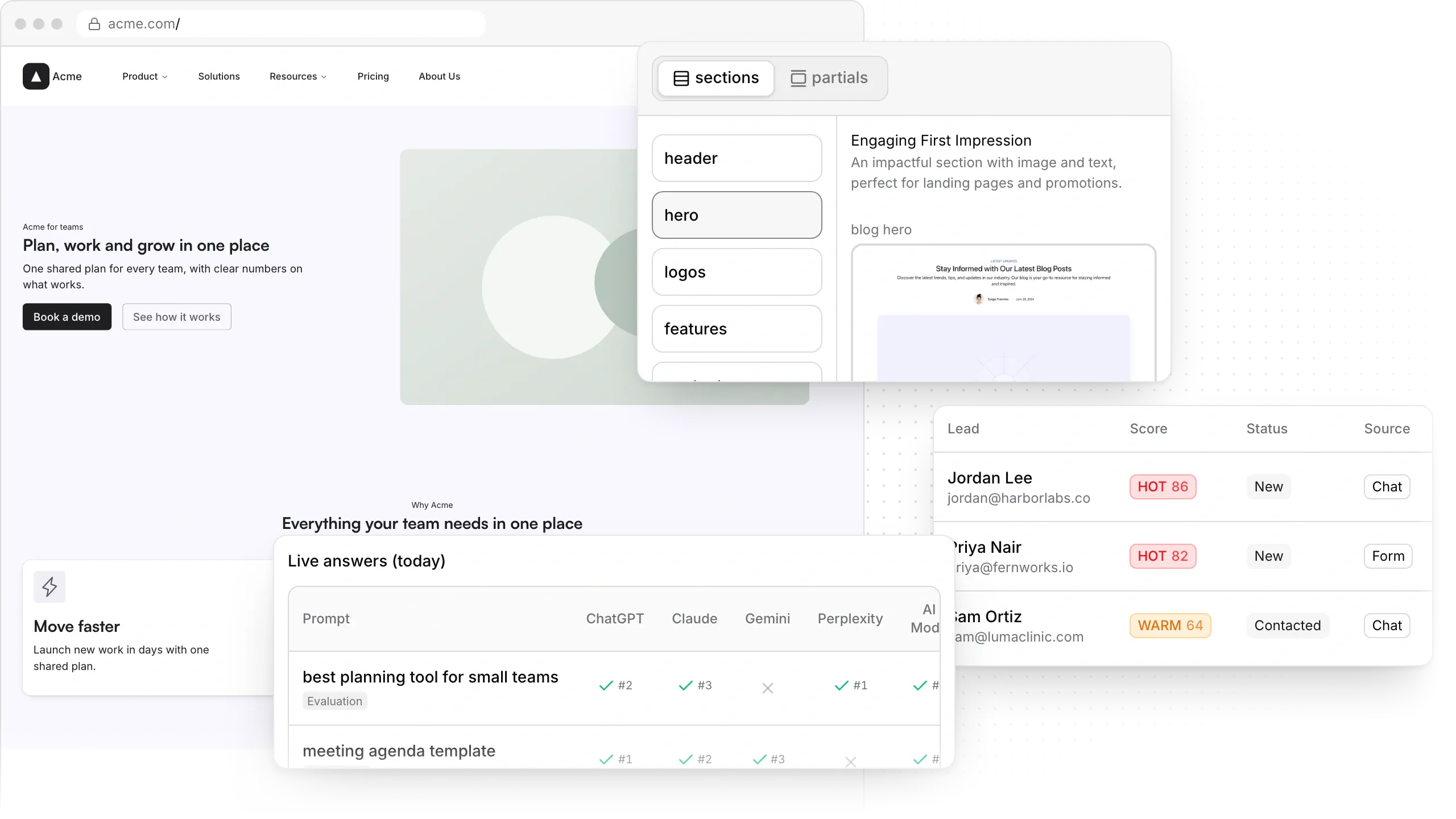
Pixelesq suits marketing teams whose site has to bring in search traffic and leads. Pages come from ready sections they edit in a side panel or by asking Pixel, Claude or ChatGPT, and keyword research, AI answer tracking, a chatbot and a scored lead inbox are built in.
Where marketing teams get stuck on no-code builders
Each of these shows up once marketing owns the site. If one sounds familiar, here's how Pixelesq handles it.
Every new layout waits on our designer
On Webflow, marketers build pages from components a designer sets up first, and Framer's canvas is made for designers.
HOW PIXELESQ HELPS
Marketers publish on their own
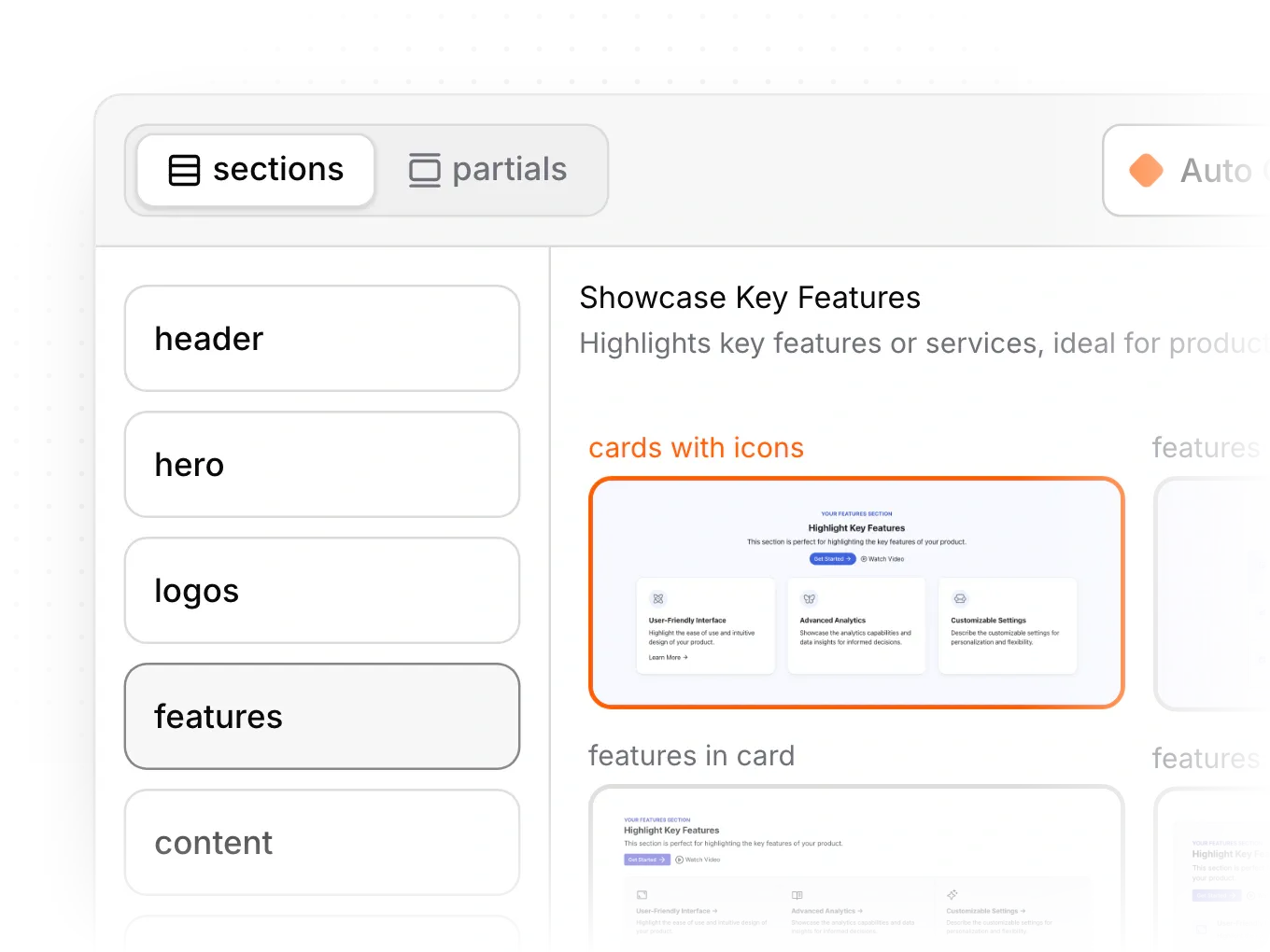
Build pages from 100+ ready sections styled by your theme, or ask Pixel to draft the page.
The site looks great, but leads are flat
On Webflow and Framer, form submissions arrive by email, as a CSV file or in a sheet, and sorting them is up to you.
HOW PIXELESQ HELPS
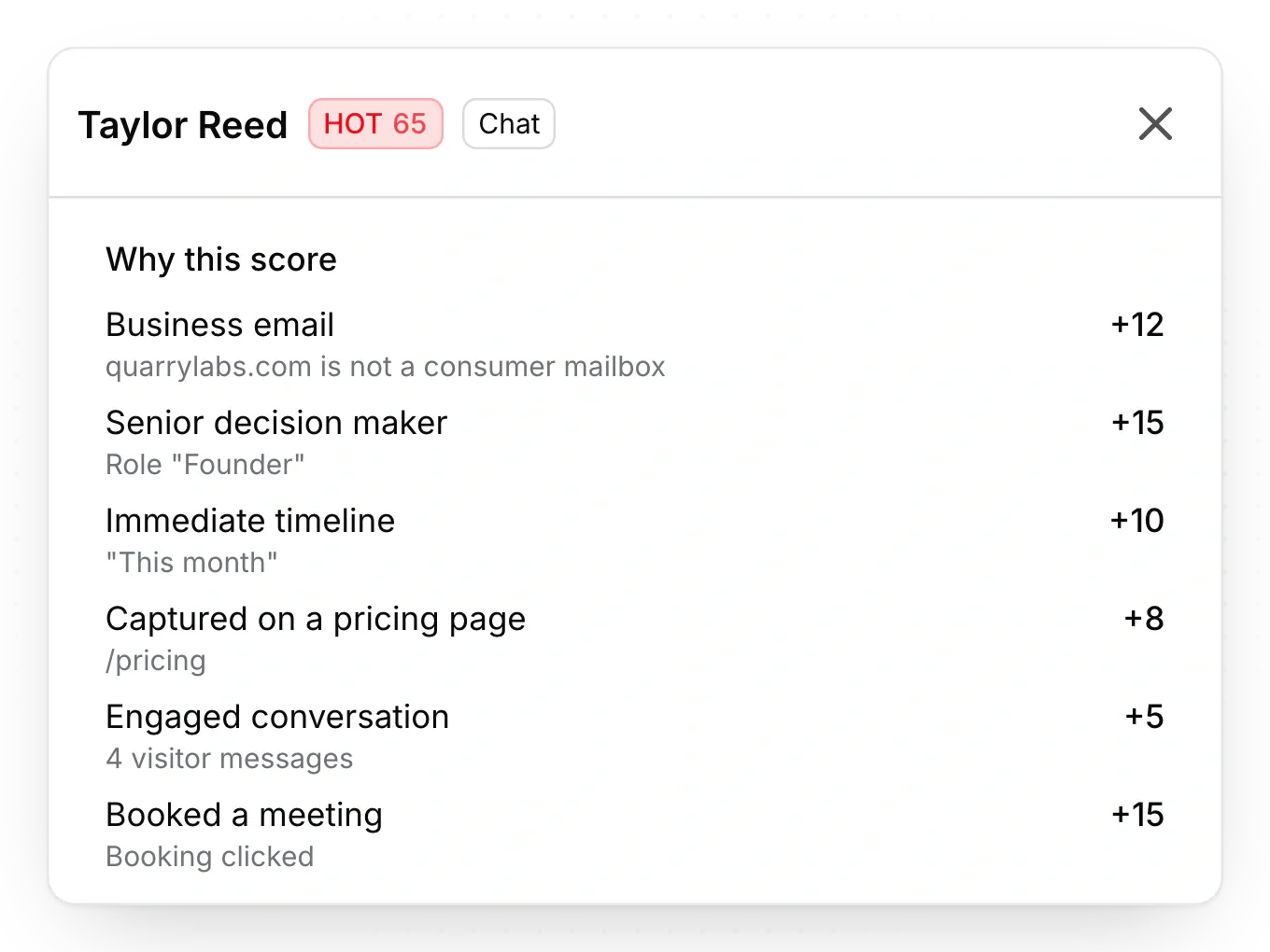
Every lead scored in one inbox
Forms and the AI chatbot feed one lead inbox, each lead scored 0 to 100, with alerts by email, phone and Slack.
We can't see what AI assistants say about us
Buyers ask AI assistants first, and answer tracking ranges from paid add-ons on Webflow and Duda to page scores on Framer.
HOW PIXELESQ HELPS
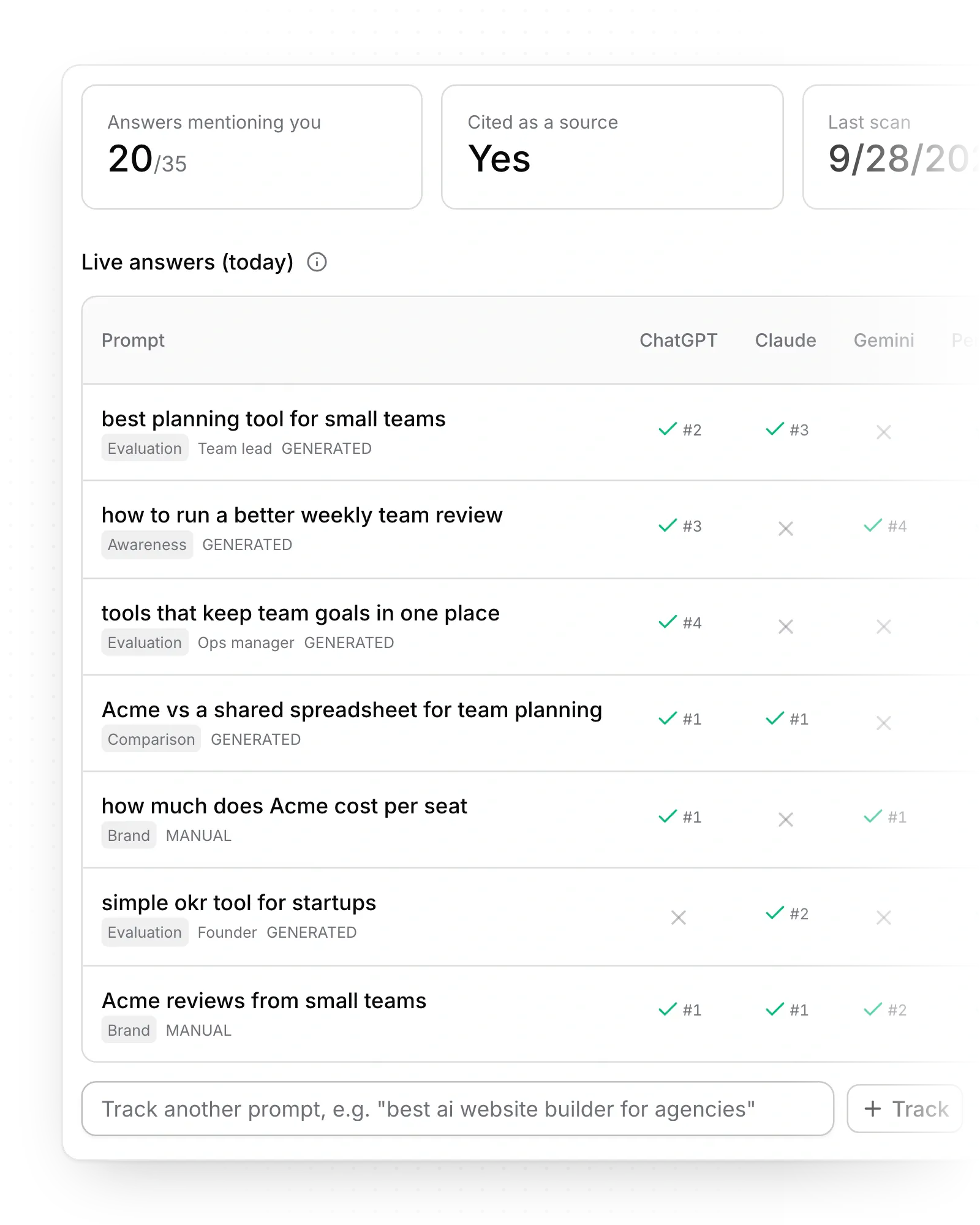
Answers tracked across five assistants
AI answer tracking shows how ChatGPT, Claude, Gemini, Perplexity and Google AI Mode answer your buyers, and which sources they cite.
Pixelesq vs no-code website builders, side by side
How Pixelesq compares with Webflow, Framer, Wix, Squarespace and Duda once marketing runs the site. Facts checked October 2026.
Ready sections styled by your theme, with no free placement
Choose Webflow or Framer when a designer wants every pixel.
Marketers build whole pages from ready sections, or ask Pixel
New pages ship the day marketing needs them.
Pixel in the app, plus Claude and ChatGPT through the connector
Your team changes the site in plain words, wherever it works.
Competitor keyword gaps, researched articles and rank tracking
You know what to publish next and whether it ranks.
ChatGPT, Claude, Gemini, Perplexity and AI Mode, on every plan
You see where you're named and who's cited instead.
Forms and an AI chatbot feed one inbox, every lead scored with reasons
Sales calls the hottest leads first, with the reasons in front of them.
Also built into Pixelesq
The rest of the work a marketing site needs, in the same account.
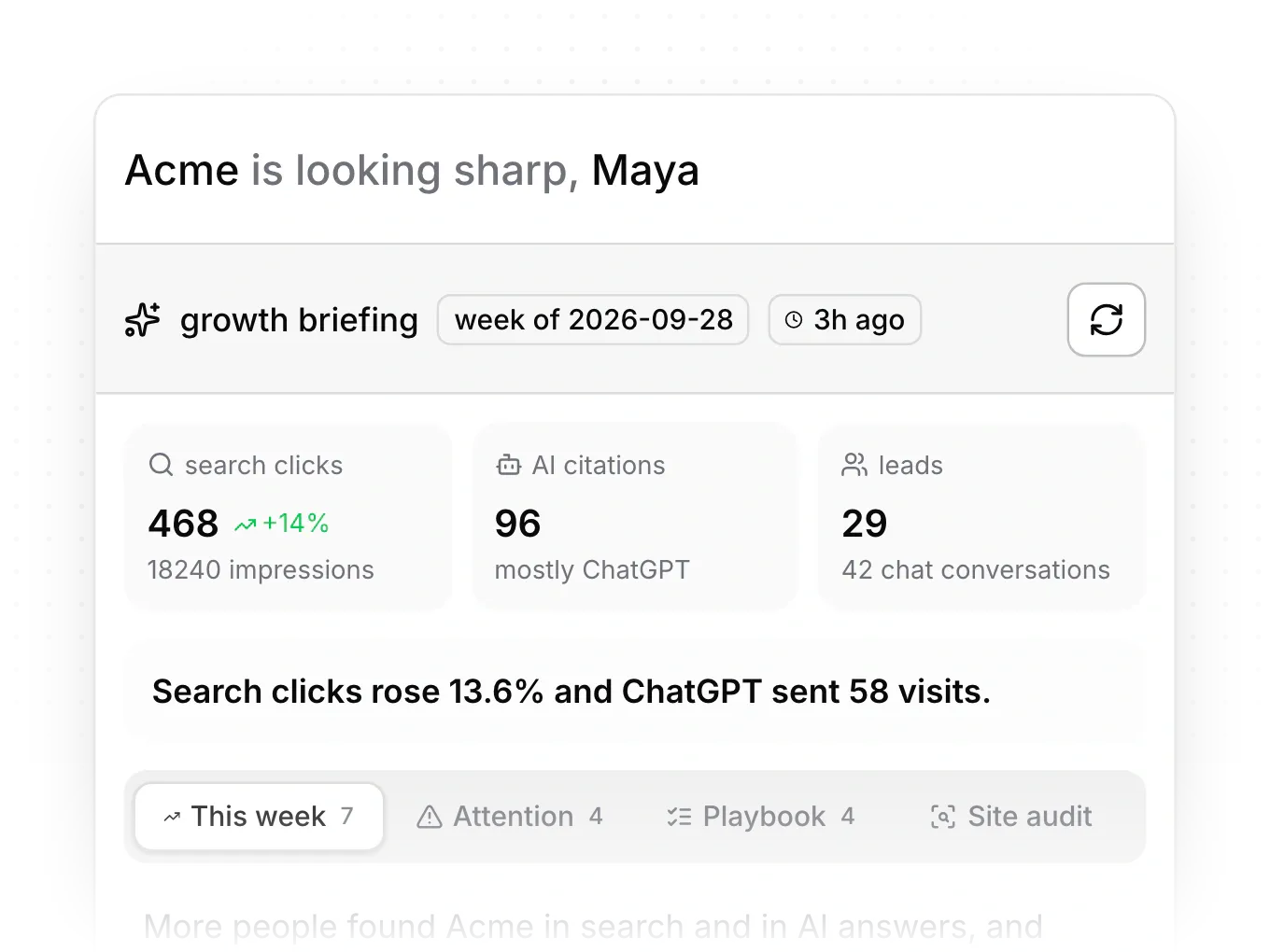
A briefing every week
A plain-language summary of what changed in search, AI answers and leads, with next steps.
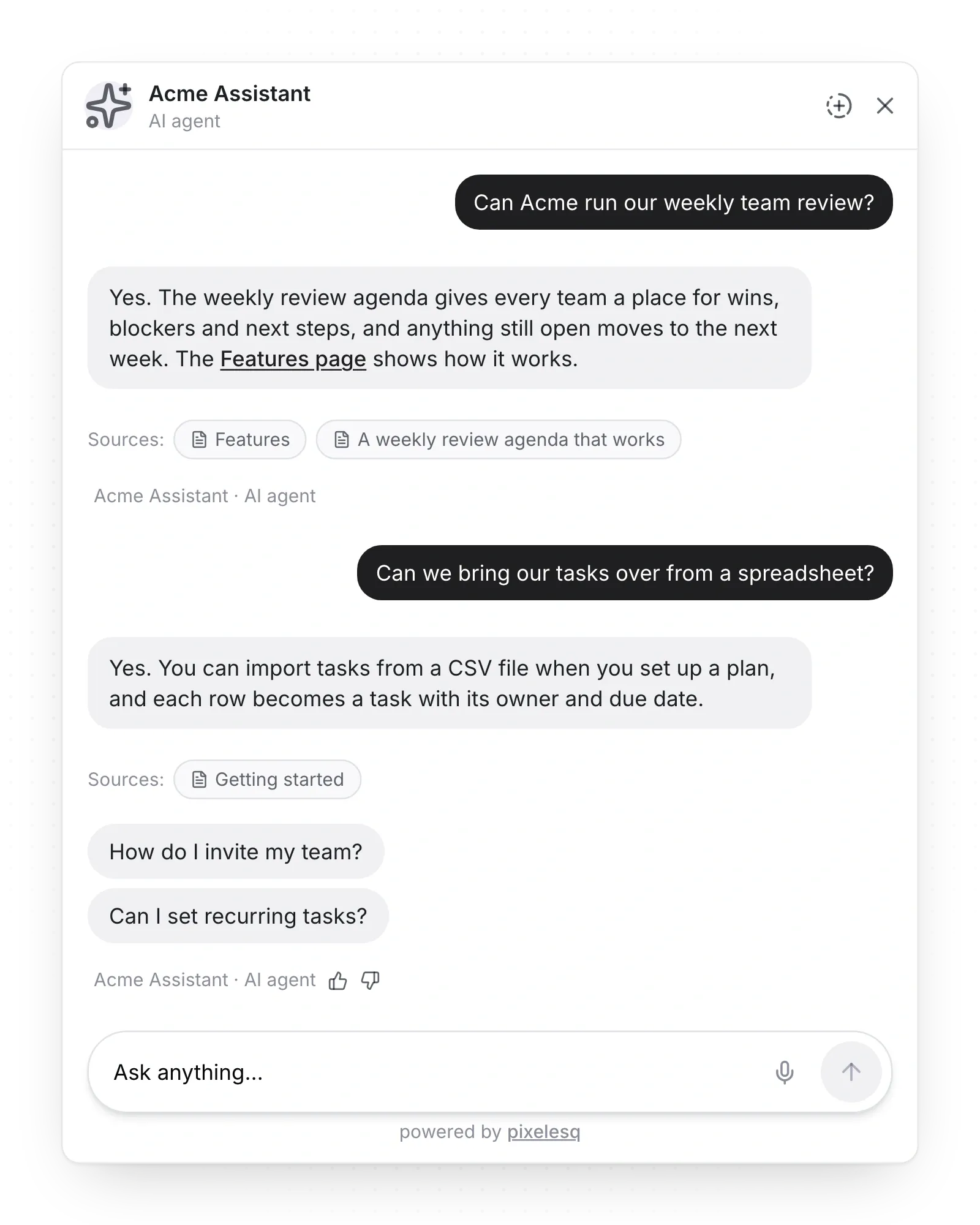
A chatbot that knows your site
It answers visitors from your own pages at any hour, then captures their details as a lead.
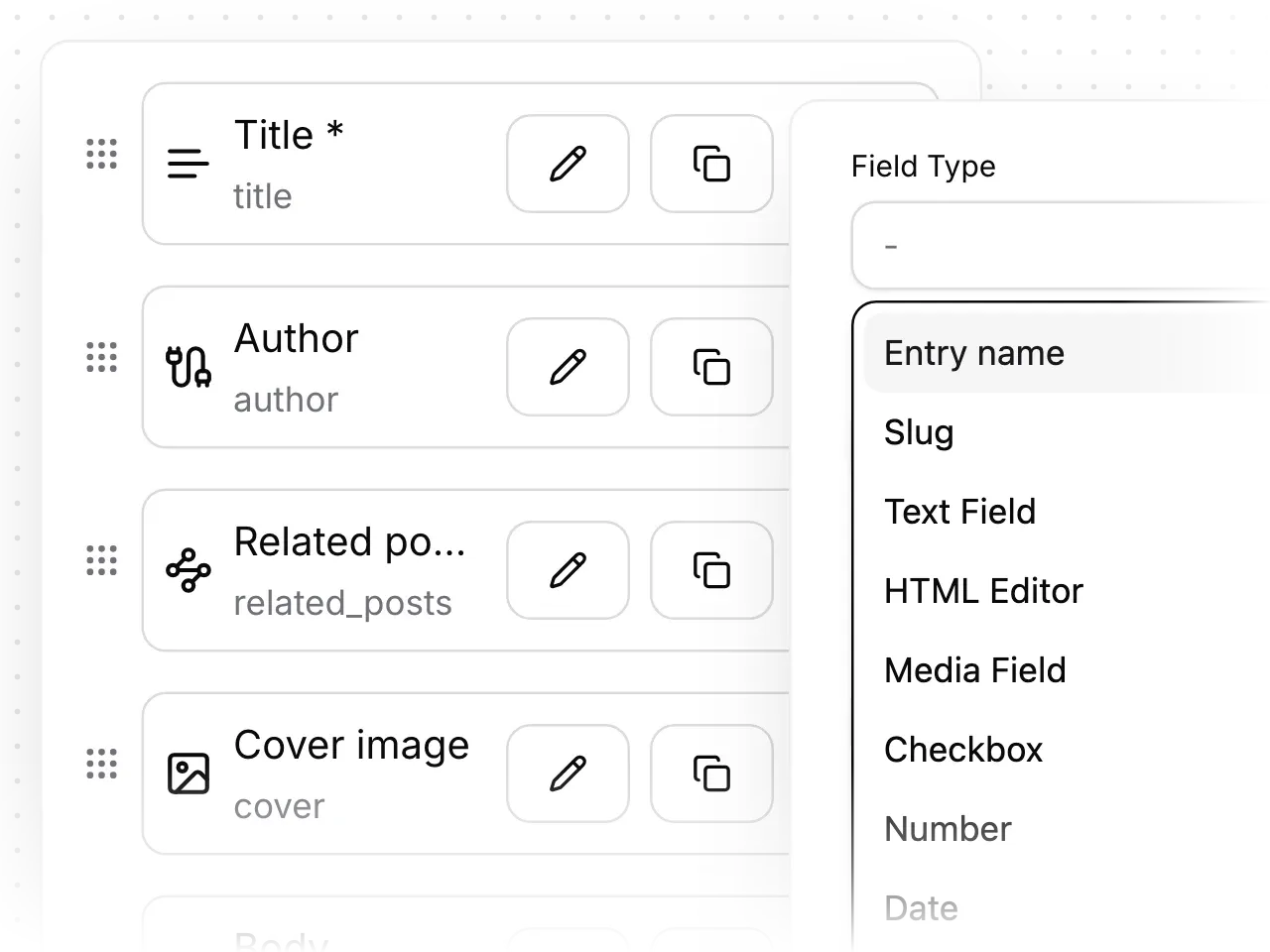
Any content type, with its own template
Posts, case studies, events or a glossary become pages from one template, with your own fields.
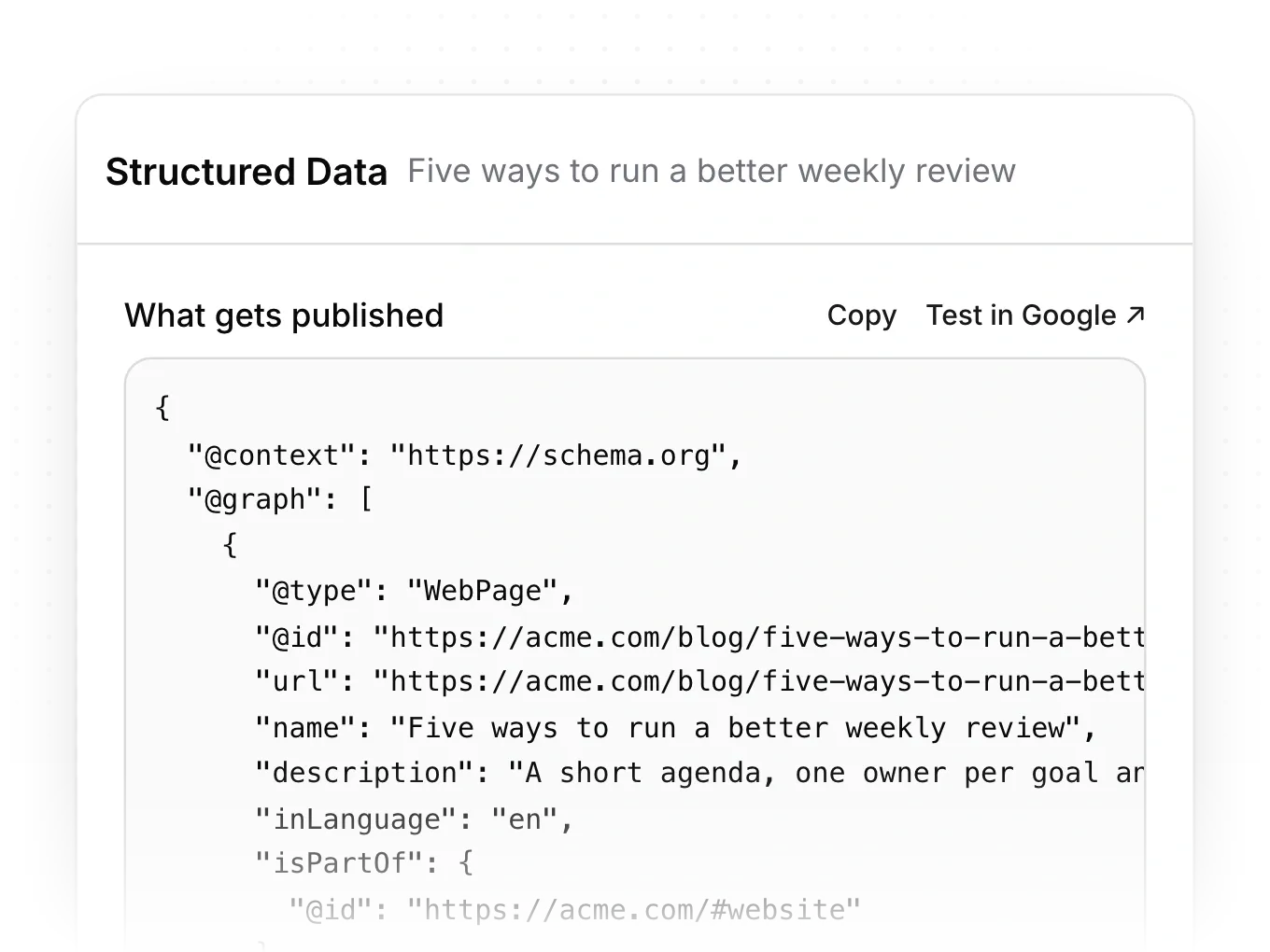
Structured data on every page
Every page tells Google and AI assistants what it is, from your company to each post, with nothing to code.
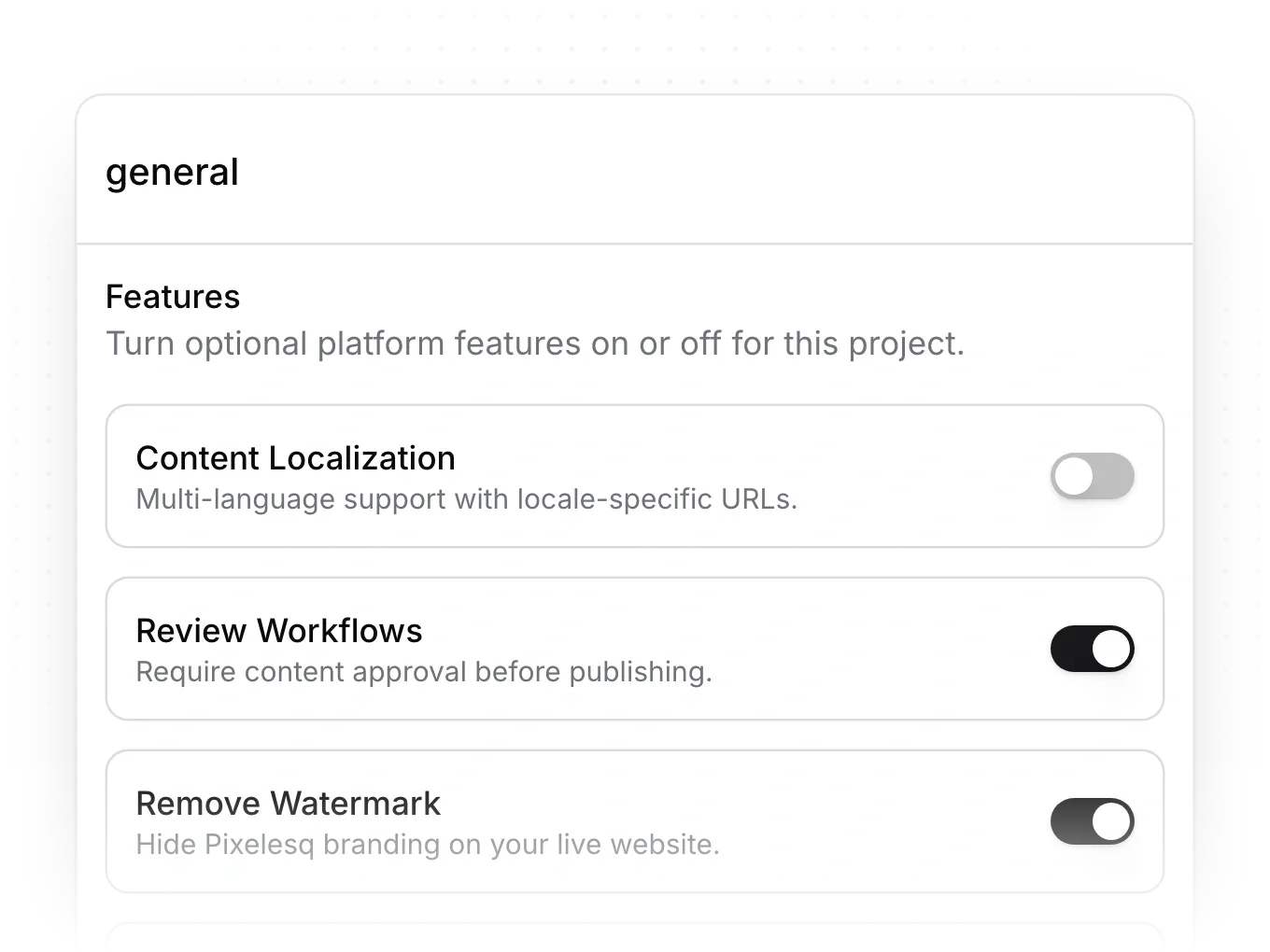
Approvals, versions and an activity log
Turn on reviews to hold every publish, and restore any earlier version of a page as a draft.
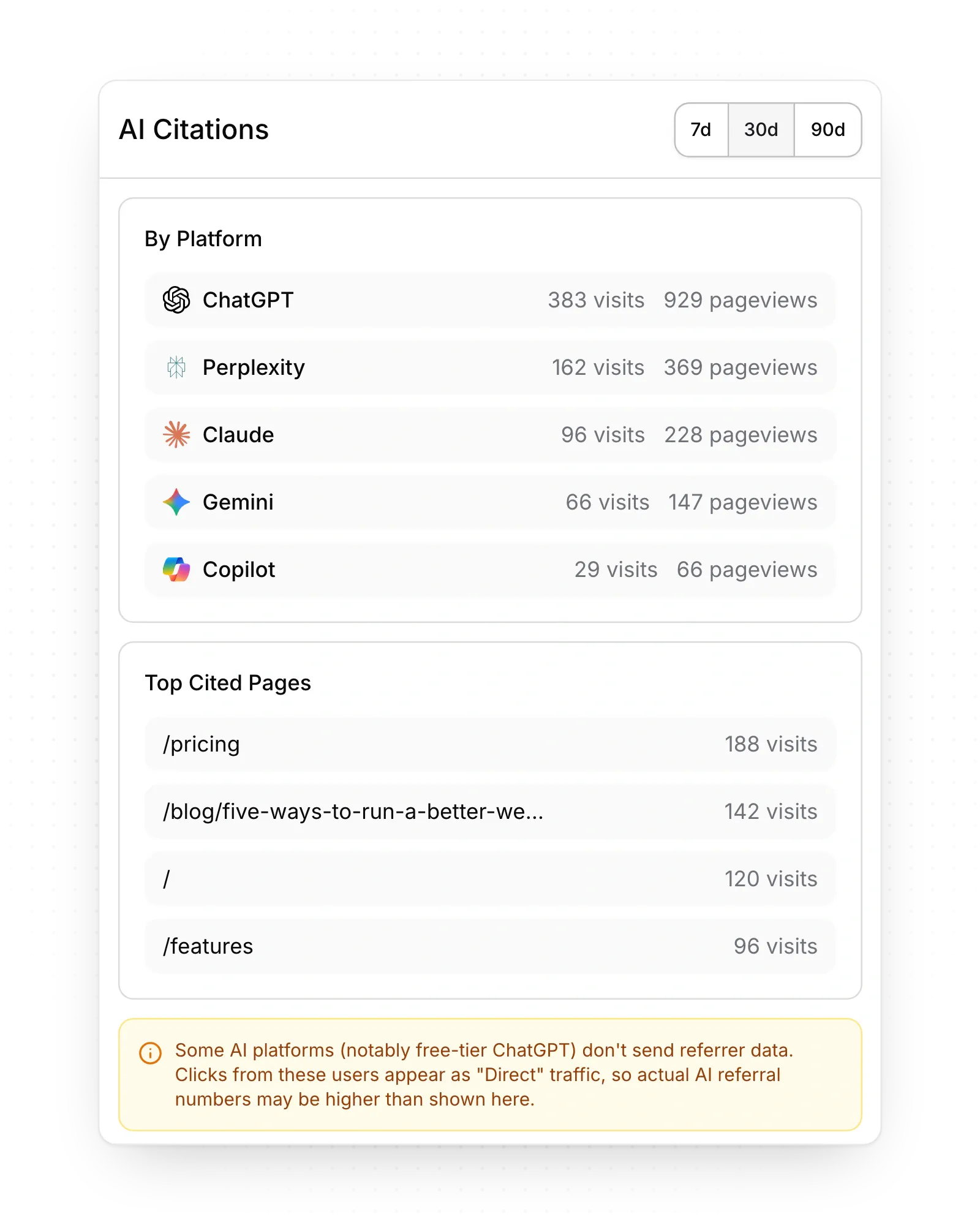
Analytics that count AI visits
See visits from ChatGPT, Perplexity, Claude and other assistants, with nothing to install.
Questions people ask about no-code website builders
Answers on choosing one, Wix or Squarespace, Webflow or Framer, SEO, cost and moving later.
The best one depends on who edits the site and what it has to do. Webflow suits designers who want element-level control, Framer suits design-led teams who want a freeform canvas, Wix suits small businesses that want selling, bookings and a CRM, Squarespace pairs templates with a store, and Duda suits agencies building client sites. If marketers run the site and it has to bring in search traffic and leads, Pixelesq builds in keyword research, AI answer tracking, a chatbot and a scored lead inbox.
Wix bundles more business tools, while Squarespace includes a store and contacts on every plan. Wix adds Smart Chat, a CRM with pipelines, email marketing and an AI marketing agent, and you can start at no cost on a Wix address. Squarespace pairs ready-made templates with a drag-and-drop grid and starts with a 14-day trial. Both check how AI assistants mention you: Wix in ChatGPT, Gemini, Perplexity and Claude, and Squarespace in ChatGPT and Gemini. If the site's main job is search traffic and leads, compare both with Pixelesq, which adds competitor keyword research, researched articles and a scored lead inbox.
Webflow suits content-rich sites that need fine control, and Framer suits design-led teams who want a canvas. Webflow gives complete control over layout through CSS classes, and its Premium site plan adds the full CMS. Framer lets designers place and refine layouts on a freeform canvas, with AI agents that edit pages, styles and CMS content. After launch, Webflow sells AI visibility reports in its Analyze add-on and form submissions arrive by email or as a CSV file, while Framer sends them to email, Google Sheets or webhooks. Pixelesq builds research, AI answer tracking and a lead inbox into one product, with pages made from ready sections.
All of them cover the SEO basics, and they differ on structured data and research tools. Each gives you page titles, descriptions and a sitemap. Squarespace adds structured data by default, Wix marks up set page types such as blog posts and events, and on Webflow and Framer you add it yourself. Past the basics, rankings depend on what you publish, which is where Pixelesq's structured data on every page, keyword research, researched articles, rank tracking and AI answer tracking come in.
Yes, Wix, Webflow and Framer let you build at no cost, on their own address and with limits. Wix's no-cost option carries Wix branding and no custom domain, Webflow's Starter uses a webflow.io address with a limited CMS, and Framer's uses a Framer domain. Squarespace and Duda start with 14-day trials. Pixelesq plans run from $19 to $299 a month per site with no AI credits, and every plan starts with a 14-day trial with every Scale feature and no card. Pricing shows what each plan includes.
Yes, though how much comes with you depends on the builder. Webflow's paid workspace plans export a site's HTML and CSS, with CMS content exported collection by collection, and Framer CMS content exports through plugins. Wix sites can only run on Wix's servers, and Squarespace exports some pages and one blog to a WordPress file. On Pixelesq, your domain stays yours and form submissions and leads download as CSV files, while collection entries can't be exported yet. Whichever you choose, keep your domain with a registrar you control and a list of your page addresses for redirects.
Let marketing run the site
Build a page from ready sections, invite your team, and run your first keyword and AI answer checks.


