Pixelesq vs Webflow: ship pages without waiting on a designer
Webflow gives designers control of every element. Pixelesq gives marketers ready sections, AI answer tracking and scored leads.
Should you choose Pixelesq or Webflow?
Webflow is a strong pick when a designer wants control of every element: CSS classes, interactions, custom code and a store if you sell online. Marketers can build pages too, from the components your designers set up first.
Most marketing sites hit a different wall after launch. New page types wait on a designer, the team can't see what AI answers say about the company, and leads arrive as emails.
Pixelesq is built for that stage. Marketers publish from 100+ ready sections or by asking Pixel, Claude or ChatGPT, while keyword research, AI answer tracking and a scored lead inbox come built in.
Where marketing teams get stuck on Webflow
Each of these shows up once marketers run the site day to day. If one sounds familiar, here's how Pixelesq handles it.
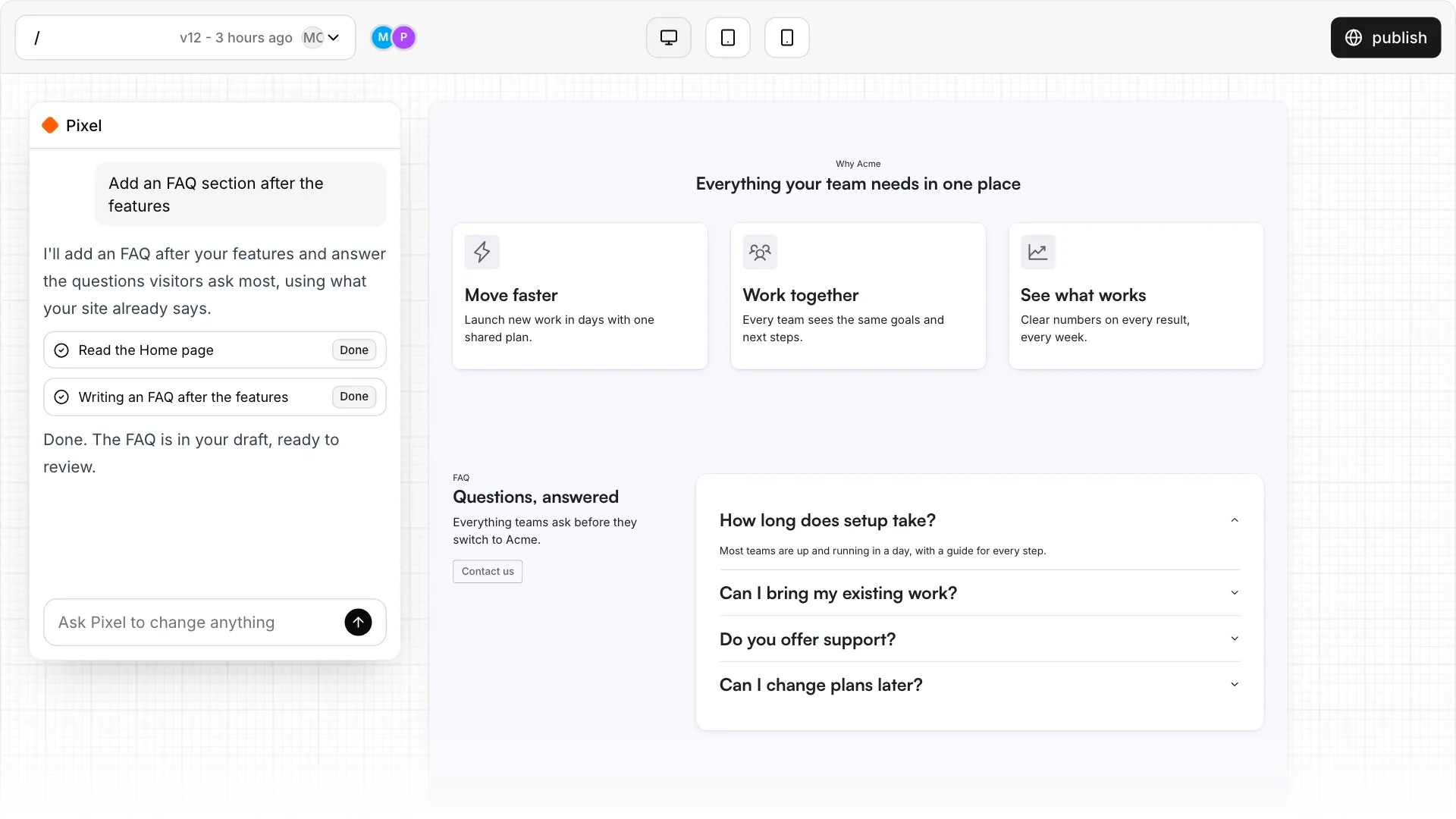
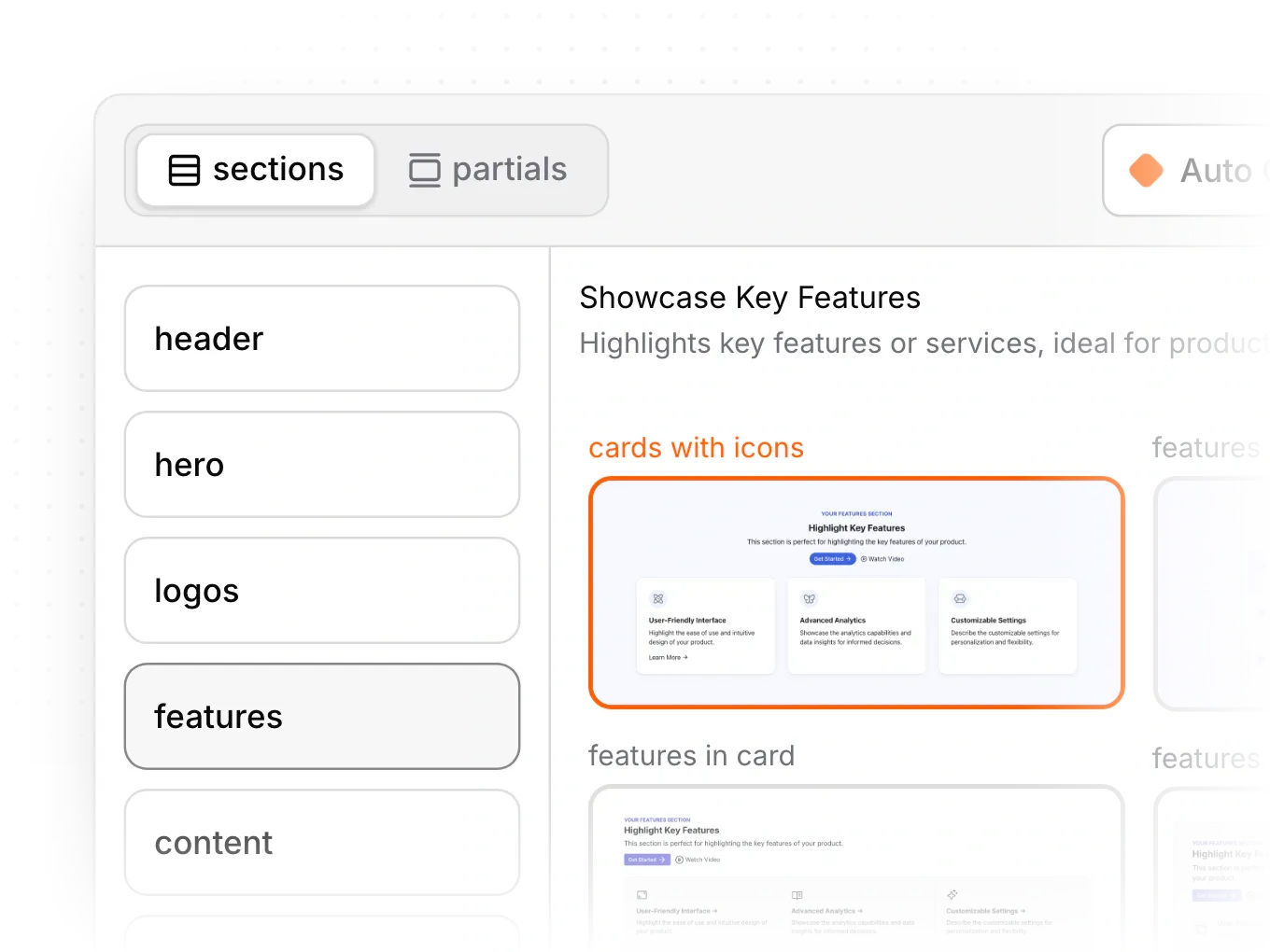
Every new page type waits on our designer
Marketers can fill in pages, but each new layout, component or template goes back to whoever built the site.
HOW PIXELESQ HELPS
100+ sections, ready on day one
Pick ready sections styled by your theme, edit them in a side panel, or ask Pixel to draft the page.
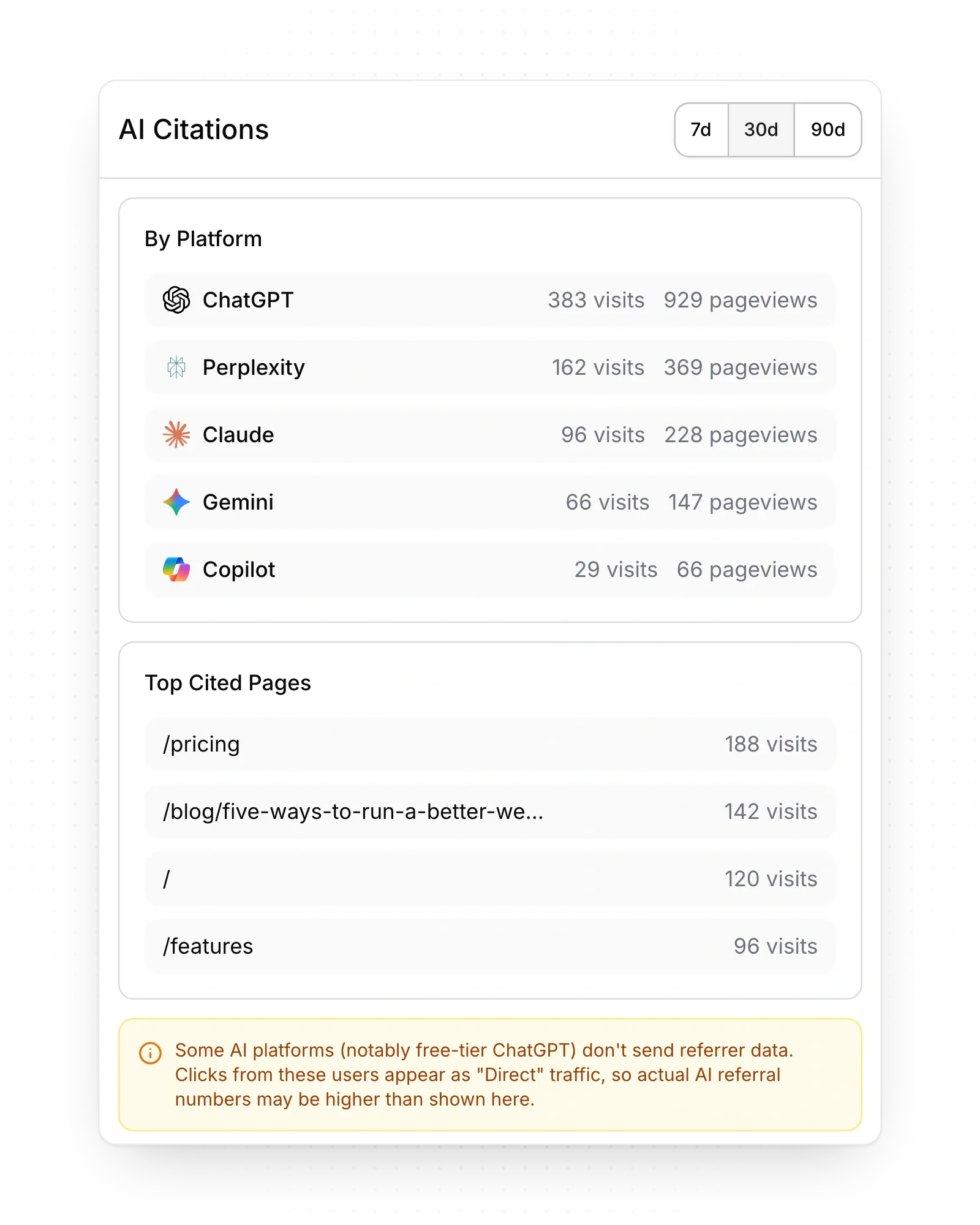
We have no idea what ChatGPT says about us
Buyers ask AI assistants before they visit your site, and on Webflow those insights sit in the paid Analyze add-on.
HOW PIXELESQ HELPS
AI answer tracking, built in
See how ChatGPT, Claude, Gemini, Perplexity and Google AI Mode answer your buyers, and which sources they cite.
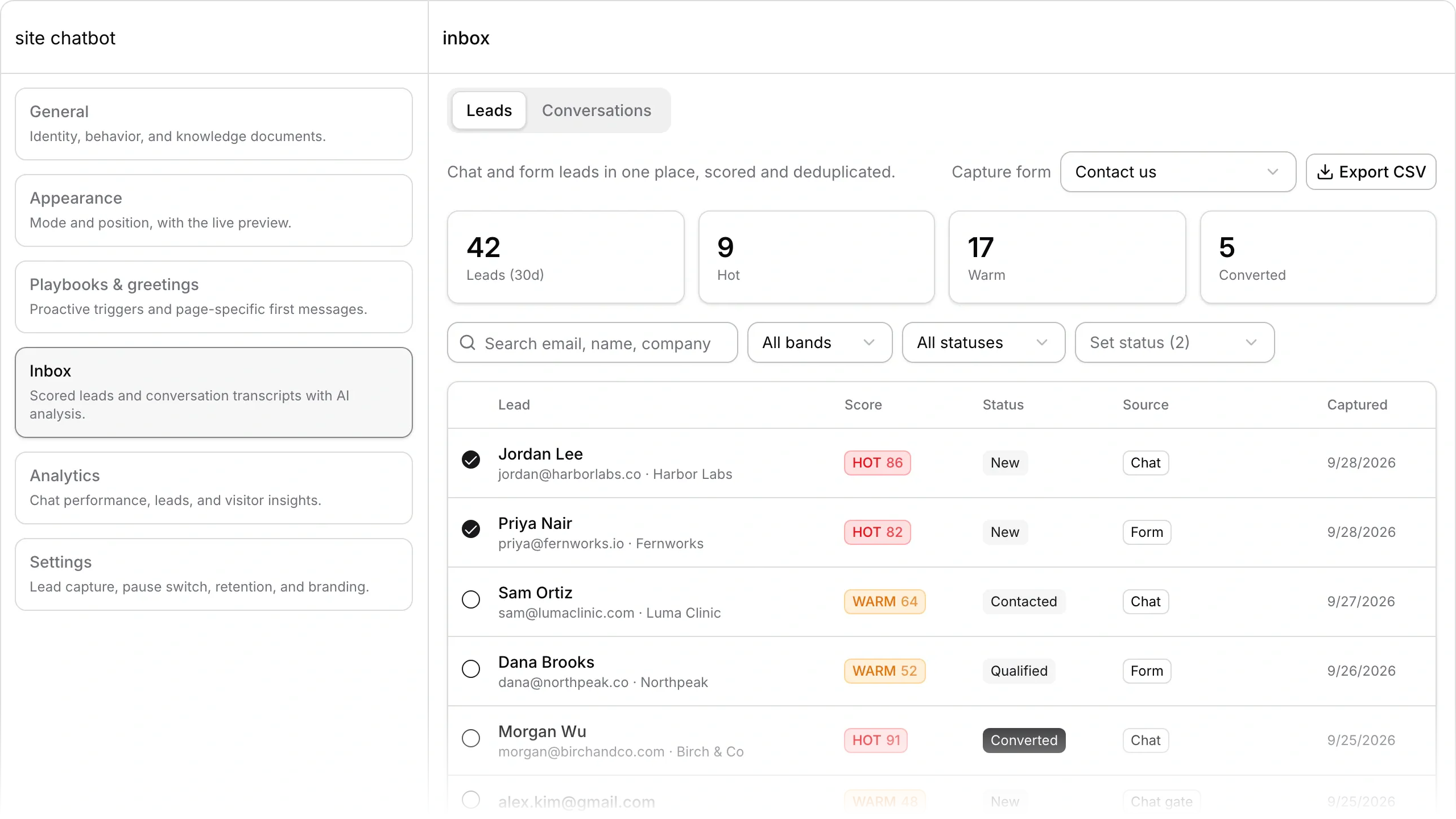
Leads arrive as emails and spreadsheets
Webflow forms send a notification email and a CSV download, so follow-up depends on whoever checks the inbox.
HOW PIXELESQ HELPS
Every lead scored in one inbox
Forms and the AI chatbot feed one lead inbox, each lead scored 0 to 100, with alerts by email, phone and Slack.
Pixelesq vs Webflow, side by side
How the two compare on the jobs that fill a marketing team's week. Facts checked October 2026.
Marketers start from 100+ ready sections styled by your theme
New campaign pages don't wait for a designer to build the parts first.
Sections with styling for each screen size, kept on brand by your theme
Choose Webflow for pixel-level design; Pixelesq keeps pages on brand as more people edit.
Pixel edits pages, entries, forms and SEO fields; Claude and ChatGPT connect too
Both work with your AI assistant; Pixel also knows your brand and content.
Structured data on every page, plus keyword research, rank and AI answer tracking
You see what to publish next and where AI answers mention you, in one place.
Forms and an AI chatbot feed one inbox, every lead scored with reasons
Sales calls the hottest leads first, with the reasons in front of them.
One plan per site from $19 a month, with no AI credits
One predictable bill per site, with nothing metered by AI use.
Also built into Pixelesq
The rest of the work a marketing site needs, in the same account.
A briefing every week
A plain-language summary of what changed in search, AI answers and leads, with next steps.
A chatbot that knows your site
It answers visitors from your own pages at any hour, then captures their details as a lead.
Articles researched before they're written
The content engine reads the pages that rank today, then drafts articles for your team to review.
Approvals, versions and an activity log
Turn on reviews to hold every publish, and restore any earlier version of a page as a draft.
Launches on your schedule
Schedule pages and entries to go live at a chosen time, up to a year ahead.
Analytics that count AI visits
See visits from ChatGPT, Perplexity, Claude and other assistants, with nothing to install.
Questions teams ask before leaving Webflow
Answers on design control, AI, pricing, moving over, and when Webflow is the better fit.
Yes, when marketers run the site and it has to bring in traffic and leads. Pages come from ready sections your team edits in a side panel or by asking Pixel, Claude or ChatGPT, and keyword research, articles, rank and AI answer tracking, forms, an AI chatbot and lead scoring sit in the same account. If a designer wants control of every element, Webflow still fits that better.
Launch your next page without the design queue
Build a campaign page from ready sections, see what ChatGPT says about your brand, and connect a form so every lead arrives scored.


