HELP CENTER -> SEO & AEO
Redirect an old URL to a new page with a 301 redirect

Redirect one address
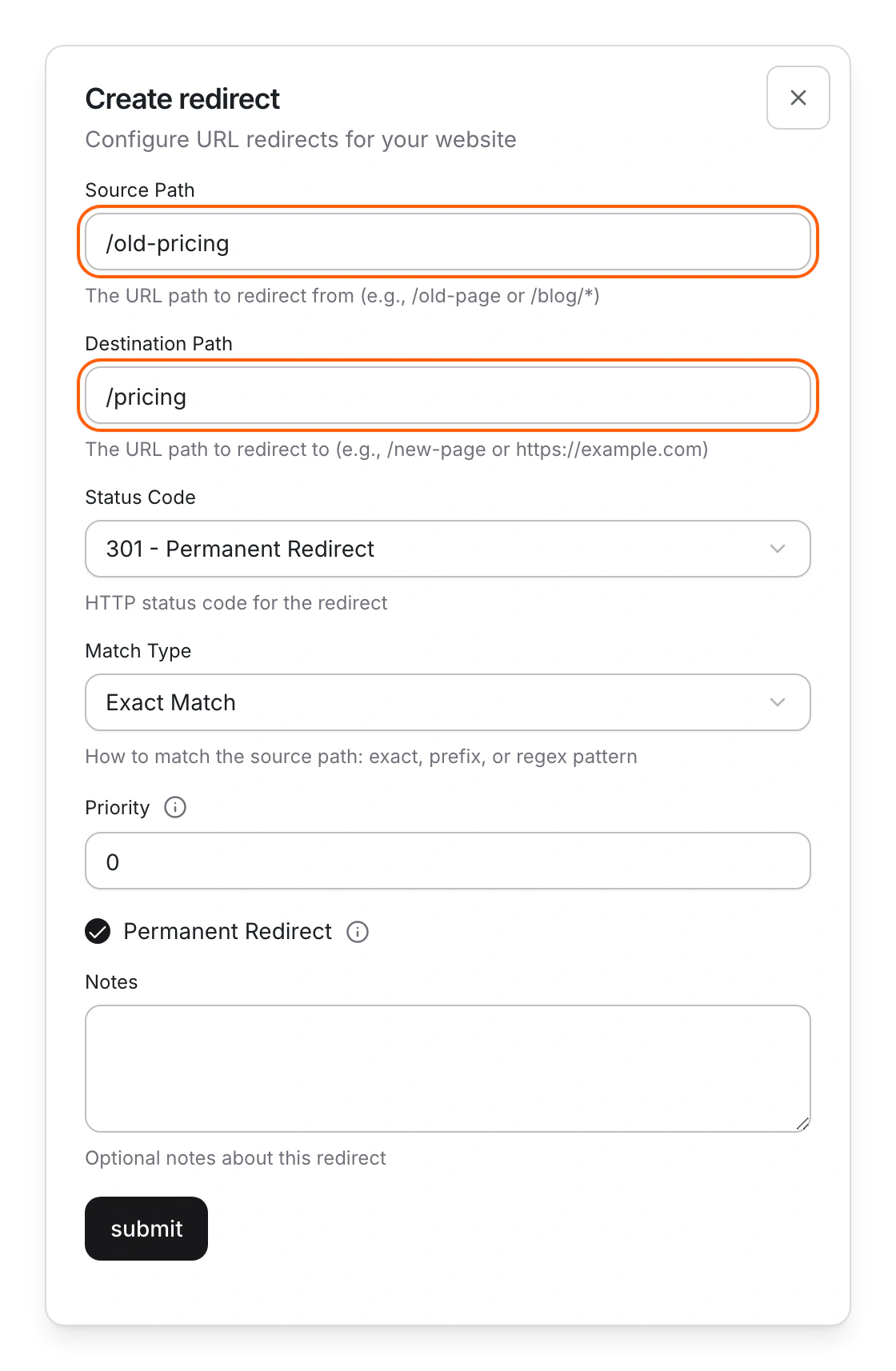
- Click settings, then Redirects, then create.
- Fill in Source Path, such as /old-page, and Destination Path, such as /new-page or a full address on another site.
- Under Status Code, pick 301 - Permanent Redirect for a page that has moved for good.
- Keep Match Type as Exact Match.
- Click submit. Look for "Redirect created successfully".
Redirect a whole folder
- Create a redirect with Source Path /blog/ and Destination Path /articles/.
- Set Match Type to Prefix Match. Now /blog/post-1 goes to /articles/post-1.
Limits
- Wildcards such as * aren't supported. Use Prefix Match to move a folder.
- A redirect wins over a live page at the same address.
- New redirects reach visitors in about five minutes. Browsers can keep an old redirect for up to 15 minutes.
- Redirects can't be imported or exported in bulk, and loops aren't checked.
- When you change an entry's address, Pixelesq adds the redirect for you when you publish.
Common questions
What does "A redirect with this source path already exists" mean?
That address already has a redirect. Edit it from its row menu instead.
Can I match a pattern?
Yes. Set Match Type to Regular Expression and use $1, $2 in the destination for the parts you capture. A broken pattern is skipped without a message, so test it.
Should I use 301 or 302?
Use 301 when a page has moved for good, so search engines carry its ranking to the new address. Use 302 for a short-term move.
On this page
Redirect one addressRedirect a whole folderLimitsCommon questions
Prerequisites
Still have questions?
Ask Pixel in your dashboard. It can make many changes for you, or take you to the right screen. Our team can also help you plan, build or move your site.


