HELP CENTER -> Content management
Add a blog post or another entry to a collection

Add an entry
- Open the collection, such as Blog.
- Click create.
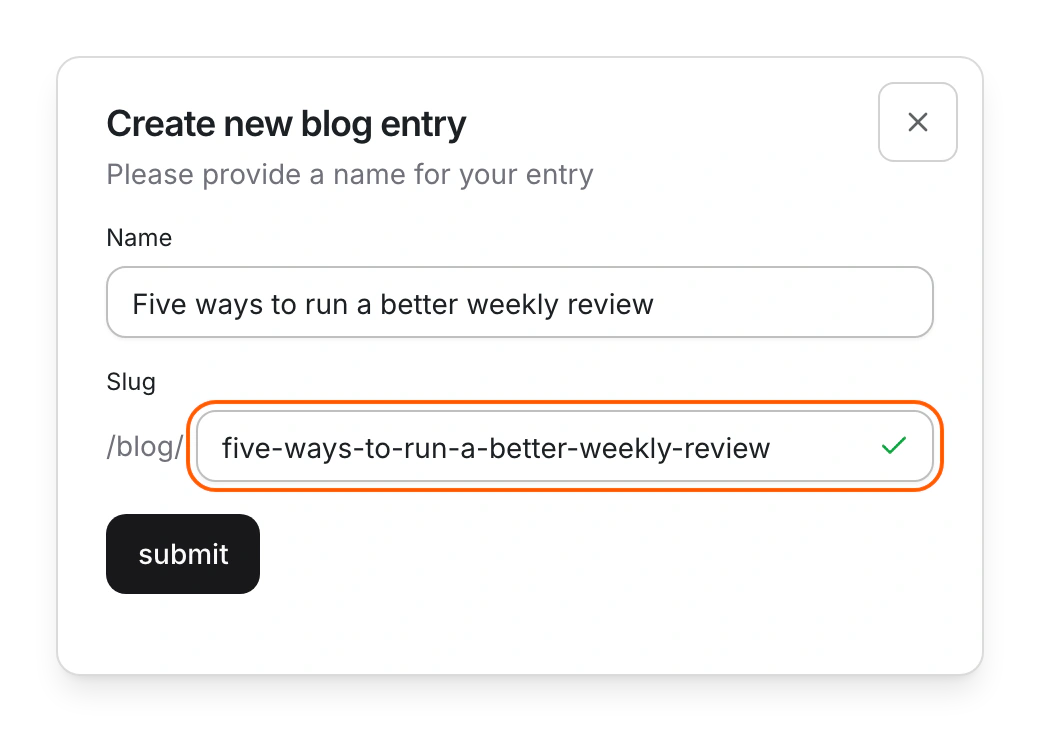
- Type a Name. The Slug fills in, with the collection's address in front.
- Check the message under the slug, then click submit.
- Fill in the fields in the editor, then click publish.
Shortcut: press ⌘K (Ctrl+K on Windows) and choose Create a Blog, or the name of your collection.
Limits
- New entries stay drafts until you publish them, and lists on your site show published entries only.
- If the slug is taken, Pixelesq still creates the entry and adds a number to its slug.
- There's no limit on the number of entries. Entries with their own page count toward your page limit.
Common questions
Why isn't my new post on my site?
It's still a draft. Click publish in the entry editor. If the post's page is blank, publish the collection's template too.
What does "Another entry already uses this slug." mean?
Pick a different slug. The same goes for "A page already uses this address." and "A redirect already uses this address."
On this page
Add an entryLimitsCommon questions
Prerequisites
Still have questions?
Ask Pixel in your dashboard. It can make many changes for you, or take you to the right screen. Our team can also help you plan, build or move your site.


