See, test and add structured data on your pages

See and test it
- Open the page's SEO view and stay on Search.
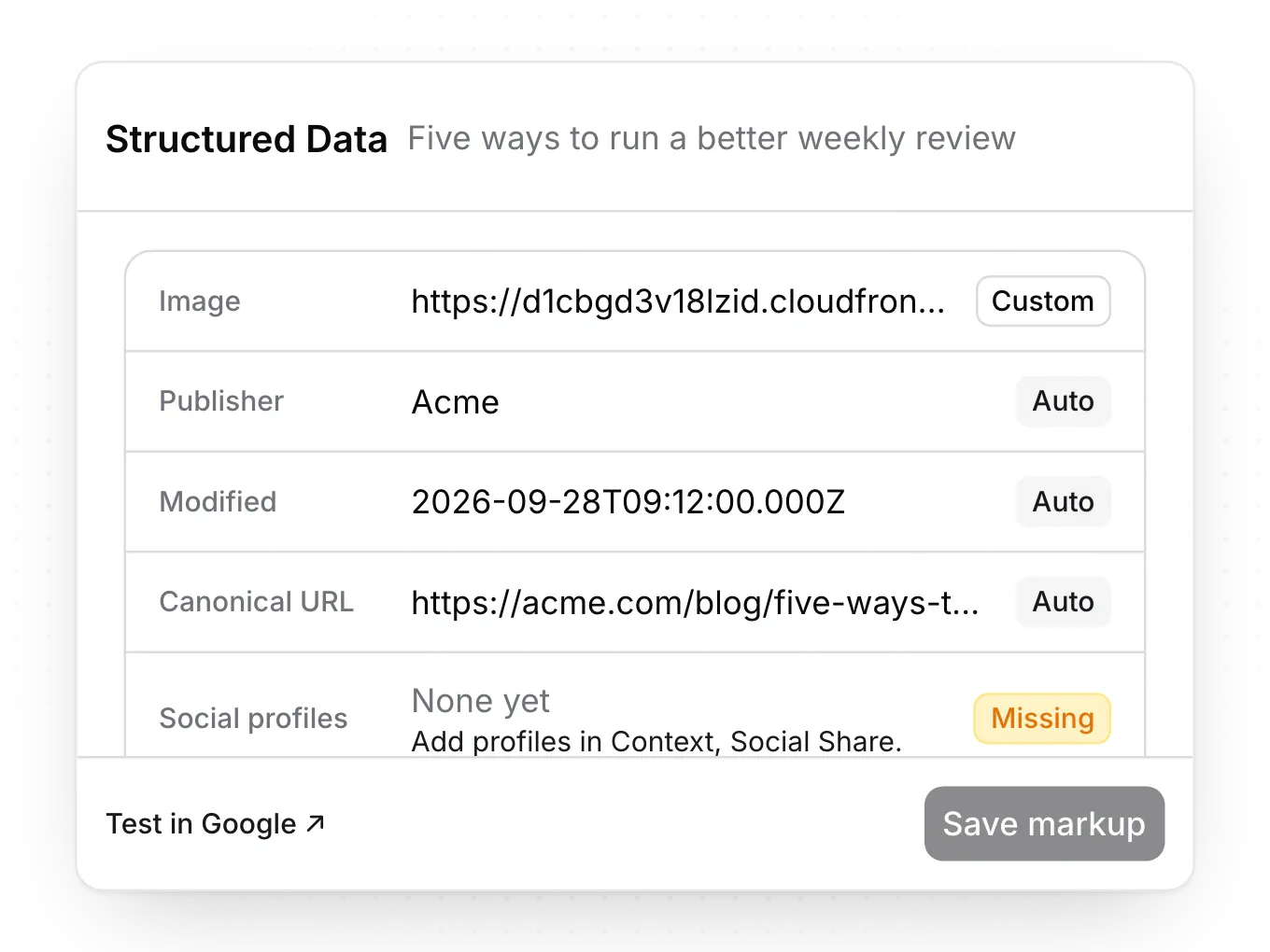
- Find Structured Data. It lists the types on the page and how many values are automatic, custom or missing.
- Click Open to see each value, marked Auto, Custom or Missing.
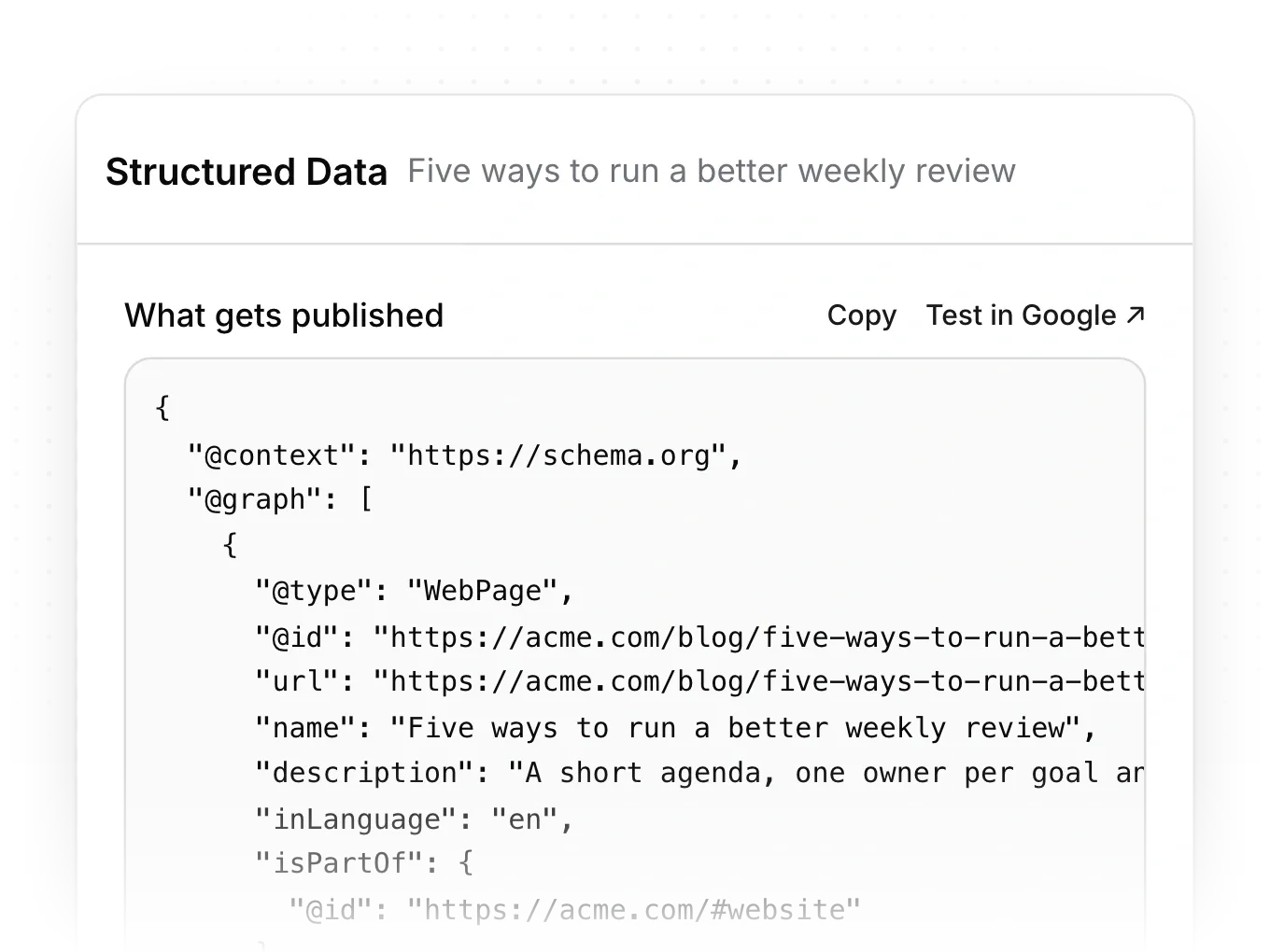
- Under What gets published, click Test in Google ↗ to check it with Google's tool.
Add your own markup
- In Structured Data, click Open.
- Paste your JSON-LD into Your additional markup.
- Click Save markup.
- Check What gets published, then test it in Google.
What Pixelesq adds for you
- Every page: WebPage and BreadcrumbList.
- Your home page: Organization and WebSite.
- About and contact pages: AboutPage and ContactPage.
- Collection entry pages: the type you choose for the collection, such as Article, Event, Product or a profile page.
Choose the type for a collection
- Open the collection and click the folder icon, Edit collection settings.
- Click the globe icon, Search & structured data.
- Pick a Type: Article, Blog post, News article, Event, Profile page (person), Video, Product, Glossary term or General page (no entity markup).
- Match each value to one of your fields, or leave it on Auto.
- Use Pick an entry to preview the result.
- Click Save mapping. Live entry pages update in the background.
Limits
- Pixelesq doesn't create FAQPage, HowTo, Review, LocalBusiness, Service or Recipe markup. Add those as your own markup.
- Your values win over the automatic ones, except the page's own address and dates, which stay automatic.
- Pixelesq only checks that your markup is valid JSON. Use Test in Google ↗ to check it properly.
- Hidden pages get no automatic markup.
- Generating SEO fields with JSON-LD ticked replaces your own markup.
- A collection's type changes its structured data only. Titles and descriptions stay as they are.
- Product prices are always in US dollars.
- For Google rich results, events need a start date and a location, and videos need a thumbnail.
Common questions
Why does it say "Manual markup only"?
Connect a domain, or set Website URL in context under Site Profile.
What does "Additional markup is not valid JSON" mean?
Your markup has a typing error. Fix it, or paste it into a JSON checker first.
What does "Publish an entry to preview its structured data." mean?
The collection has no published entries. Publish one, then use Pick an entry again.
On this page
See and test itAdd your own markupWhat Pixelesq adds for youChoose the type for a collectionLimitsCommon questions
Prerequisites
A connected domain, or a Website URL in context under Site Profile.
Still have questions?
Ask Pixel in your dashboard. It can make many changes for you, or take you to the right screen. Our team can also help you plan, build or move your site.


