Connect a custom domain to your Pixelesq site
Add the domain
In the sidebar, click settings, then open Domains.
Click connect.
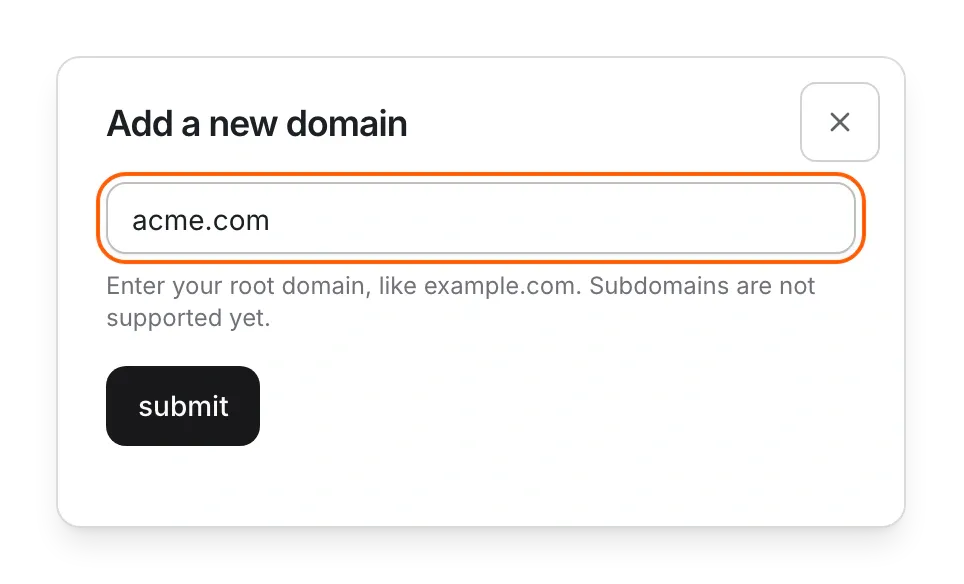
In Add a new domain, type your root domain, such as example.com, without www or https://.
Click submit. A card for your domain appears with three steps.
Add the DNS records
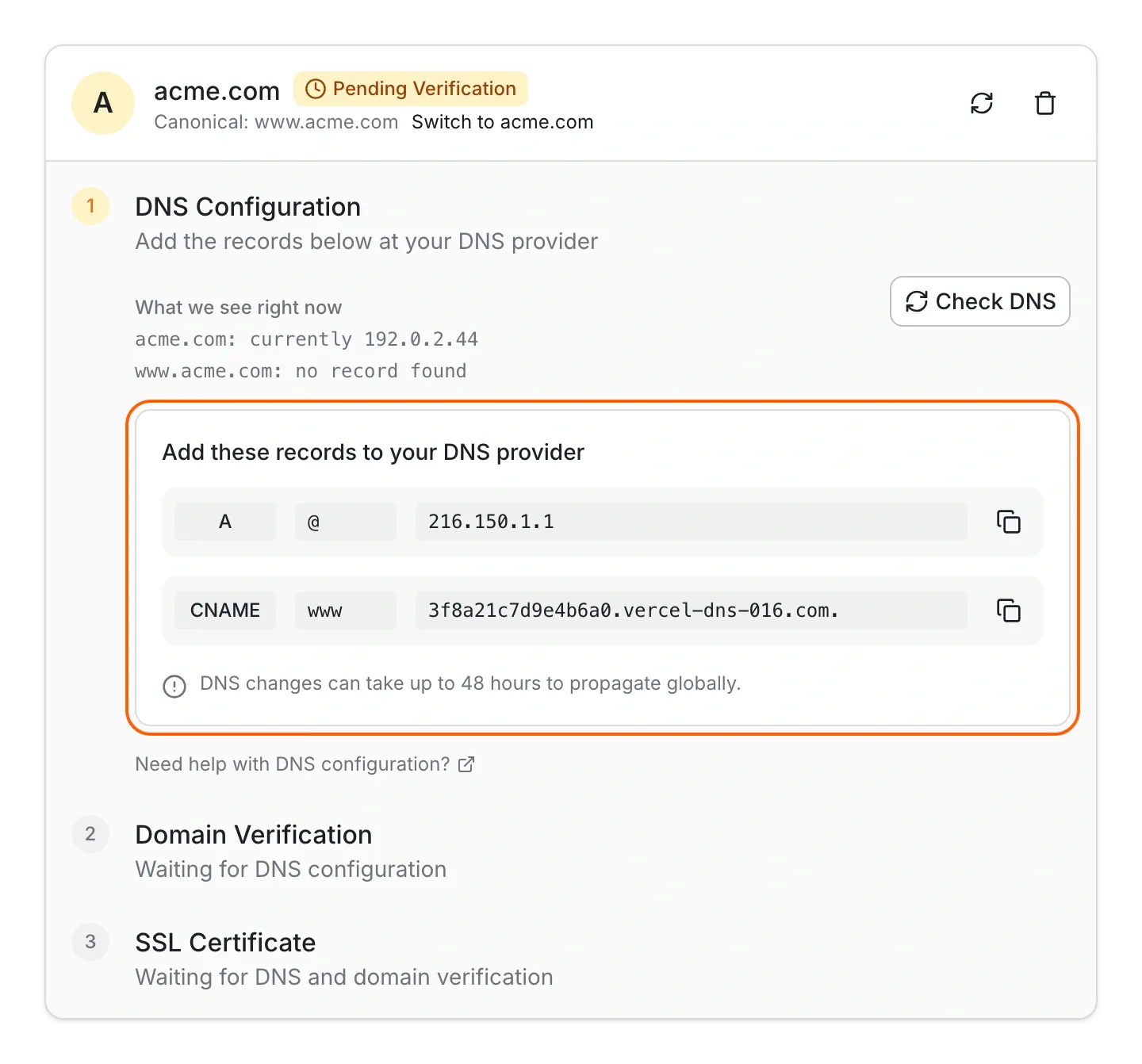
On the domain card, open DNS Configuration.
Under Add these records to your DNS provider, copy the A record (name @) and the CNAME record (name www).
Sign in to your domain registrar or DNS provider and add both records. Delete any older A or CNAME records for @ and www.
Back in Pixelesq, click Check DNS.
Verify the domain if asked
If Domain Verification shows a TXT record, add it at your DNS provider with the name and value shown.
Click Check Verification. You'll see "Domain verified successfully".
Wait for HTTPS
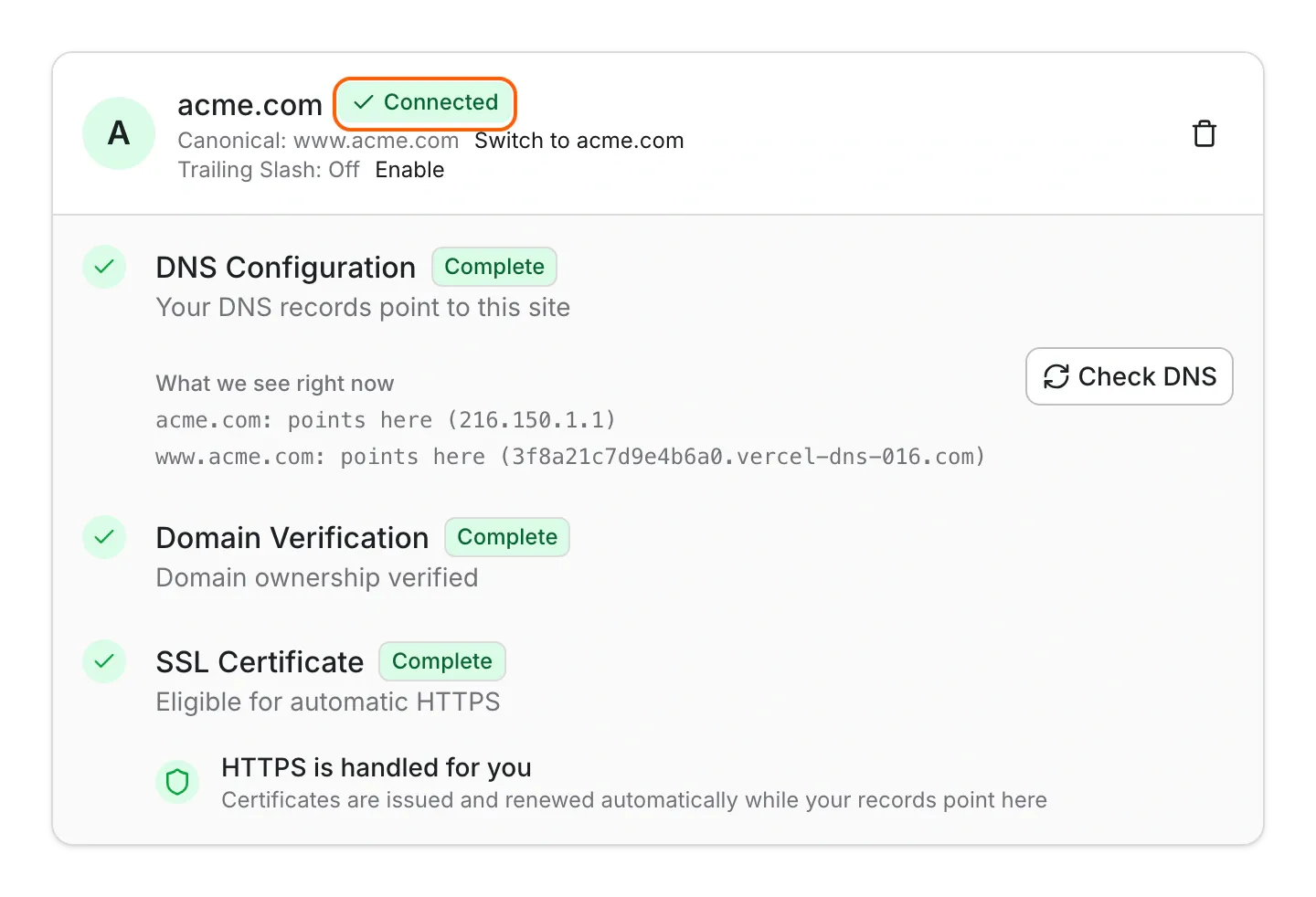
HTTPS is free and automatic. Once your records point to Pixelesq and the domain is verified, SSL Certificate shows that HTTPS is handled for you, and the domain's badge changes to Connected.
Limits
Connect root domains such as example.com. Subdomains such as shop.example.com aren't supported.
Pixelesq adds example.com and www.example.com together. New domains use www.example.com as the main address and redirect example.com to it.
Pixelesq doesn't change your DNS records or sell domains.
DNS changes can take up to 48 hours to reach everyone.
If a trial ends without a plan, the domain stays connected for 7 days and then disconnects. Your site keeps working on its free Pixelesq address.
Common questions
Why does my domain say Pending Verification?
Pixelesq is still waiting for your DNS records or the TXT record. Check both records at your DNS provider, then click Check DNS again. Changes can take a few hours.
Should my site use www?
Either works. New domains use www.example.com and redirect the root domain to it. To flip it, click Switch to example.com on the domain card. Keep both DNS records either way.
What does "Domain is taken" mean?
The domain is already connected to another Pixelesq project. If you own it, contact support.
Do I need to buy an SSL certificate?
No. Pixelesq sets up HTTPS for free and renews it while your records point here.
On this page
Prerequisites
A domain you own, such as example.com, and access to the account where you bought it or where its DNS is managed.
Still have questions?
Ask Pixel in your dashboard. It can make many changes for you, or take you to the right screen. Our team can also help you plan, build or move your site.


