HELP CENTER -> Domains & settings
Remove the Pixelesq badge from your website
Remove the badge
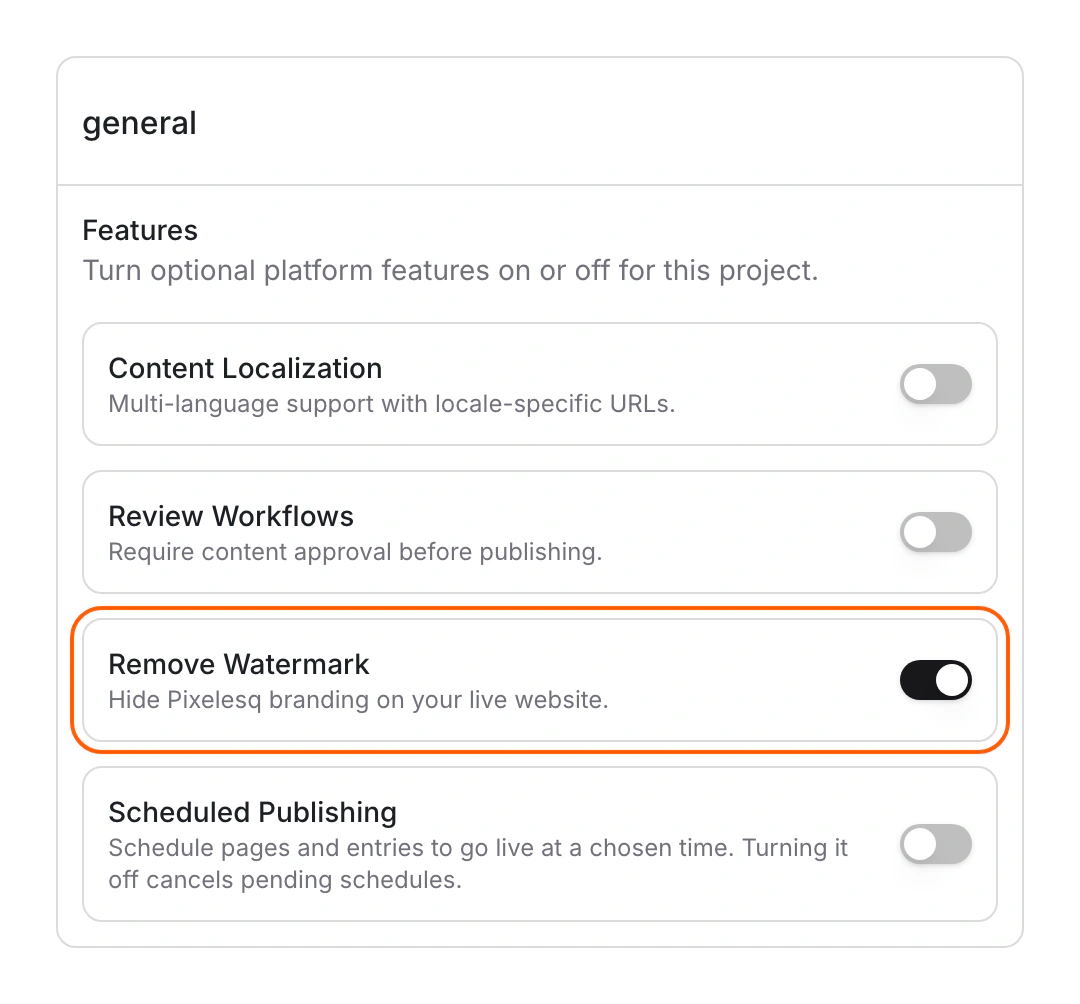
- Click settings, then General.
- Under Features, turn on Remove Watermark.
- Look for "Remove Watermark turned on".
- Reload your live site to check.
Limits
- The badge stays hidden on paid plans and during your trial.
- If your trial ends without a plan, the badge comes back.
- New projects start with the badge showing.
Common questions
Why does the badge still show?
Check your plan in Billing. The setting works on a paid plan or during your trial.
Can Editors change this setting?
No. Only Owners can change the project's features.
On this page
Remove the badgeLimitsCommon questions
Prerequisites
Still have questions?
Ask Pixel in your dashboard. It can make many changes for you, or take you to the right screen. Our team can also help you plan, build or move your site.


