Pixelesq vs Bolt: run your marketing site without spending tokens
Bolt turns prompts into full-stack apps. Pixelesq gives marketers a CMS, AI answer tracking and scored leads.

Should you choose Pixelesq or Bolt?
Bolt is a fast way to go from prompt to working product: websites, web apps and mobile apps, with hosting, databases and two-way GitHub sync, and code that's yours to keep.
A marketing site is a weekly job. Edits and new pages spend tokens, posts need a CMS from somewhere else, form submissions land in a database, and SEO boosting and your own domain need a paid plan.
Pixelesq is built for running the site. Marketers edit sections in a side panel or ask Pixel, Claude or ChatGPT, posts live in a built-in CMS, and keyword research, AI answer tracking and a scored lead inbox come with it, with no AI credits.
Where a Bolt site gets hard to run
Each of these shows up once marketers take over the site. If one sounds familiar, here's how Pixelesq handles it.
Every edit spends tokens
Visual Edits change text in place, but saving them uses tokens, and bigger projects use more tokens per message.
HOW PIXELESQ HELPS
Edit in a side panel, or ask
Marketers change words, images and sections in a side panel, or ask Pixel, with no AI credits.

Our blog needs a separate CMS
Bolt's help center lists no built-in CMS, and its own blog shows Notion serving posts through a separate product.
HOW PIXELESQ HELPS
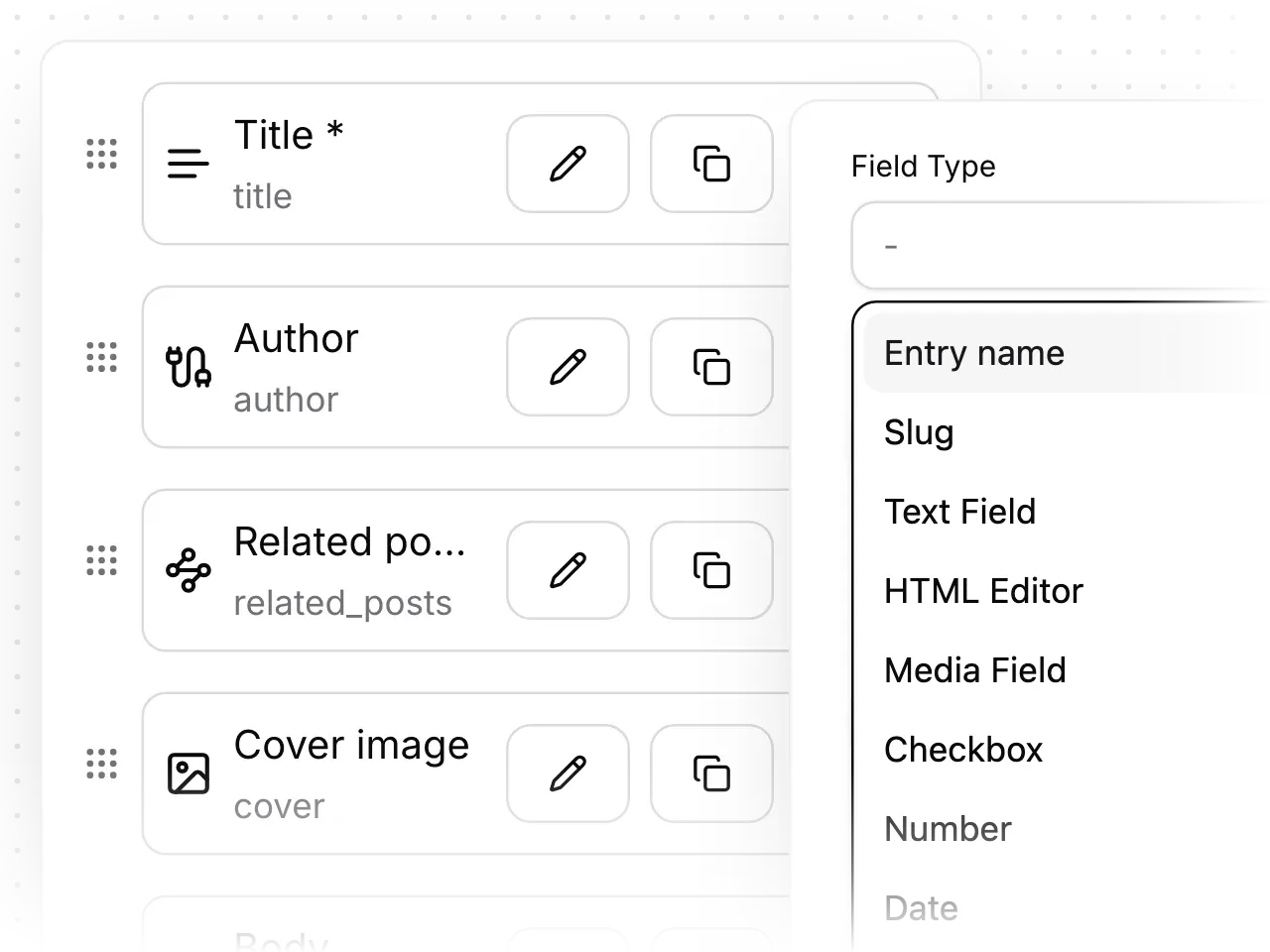
A CMS built in
Posts, case studies and any content type live in collections with their own fields and templates, next to your pages.
Form submissions sit in a database
Bolt forms run on server functions and a database, and sending email needs a published site on a custom domain.
HOW PIXELESQ HELPS
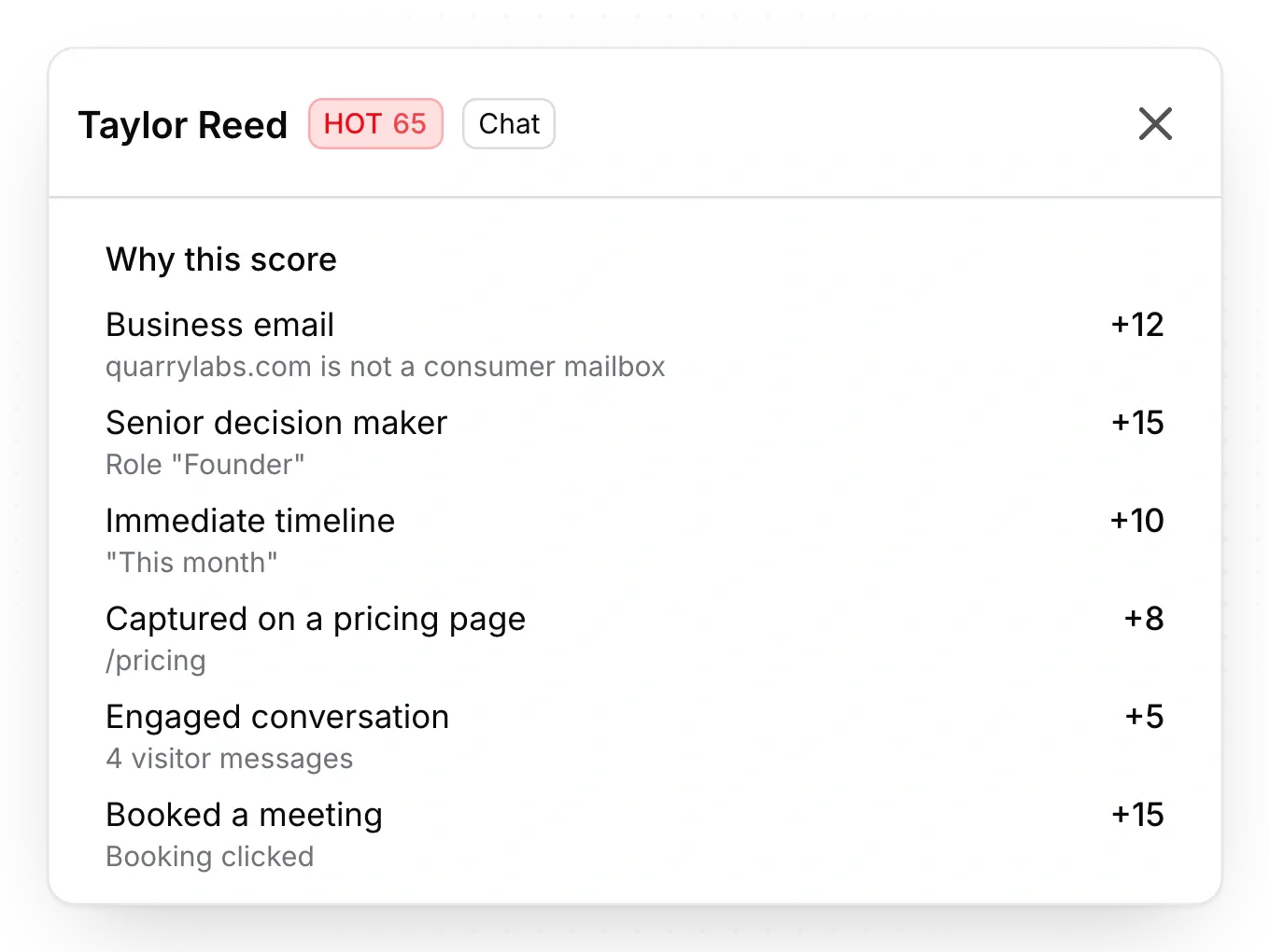
Every lead scored in one inbox
Forms and the AI chatbot feed one lead inbox, each lead scored 0 to 100, with alerts by email, phone and Slack.
Pixelesq vs Bolt, side by side
How the two compare once the site is live and marketers run it. Facts checked October 2026.
Marketing sites from sections, with no app logic or code export
Choose Bolt when you need an app, a prototype or custom code.
Side-panel editing for anyone, and Pixel when you'd rather ask
Marketers fix a typo without spending a token.
A built-in CMS with collections, fields and templates
Posts and pages live in one place your team already uses.
Full HTML and structured data on every page, plus keyword research, rank and AI answer tracking
You see what to publish next and where AI answers mention you.
Forms and an AI chatbot feed one inbox, every lead scored with reasons
Sales calls the hottest leads first, with the reasons in front of them.
One plan per site from $19 a month, with no AI credits
One predictable bill per site, with nothing metered by AI use.
Also built into Pixelesq
The rest of the work a marketing site needs, in the same account.
A briefing every week
A plain-language summary of what changed in search, AI answers and leads, with next steps.
Articles researched before they're written
The content engine reads the pages that rank today, then drafts articles for your team to review.
Rankings with AI Overview checks
Track your keywords and see whether Google shows an AI Overview for each, and whether it cites you.
Approvals, versions and an activity log
Turn on reviews to hold every publish, and restore any earlier version of a page as a draft.
Launches on your schedule
Schedule pages and entries to go live at a chosen time, up to a year ahead.
Analytics that count AI visits
See visits from ChatGPT, Perplexity, Claude and other assistants, with nothing to install.
Questions teams ask before moving their site off Bolt
Answers on editing, SEO, pricing, AI assistants, moving over, and when Bolt is the better fit.
Yes, when marketers will run the site every week. Pixelesq gives them side-panel editing, a built-in CMS, keyword research, AI answer tracking and a scored lead inbox, with no AI credits, and Pixel, Claude or ChatGPT can make changes when asked. For an app, a prototype or custom code, Bolt still fits that better.
Edit all day without spending a token
Fix copy in a side panel, publish posts from a built-in CMS, and send every form into a scored lead inbox, with nothing to deploy.


