HELP CENTER -> Analytics & performance
See how much traffic ChatGPT and other AI assistants send you
See your AI traffic
- In the sidebar, under manage, click analytics.
- Open AI Citations.
- Pick 7d, 30d or 90d.
- Read Total AI Visits, AI Pageviews and Top Platform.
- Use By Platform to compare assistants and Top Cited Pages to see where their visitors landed.
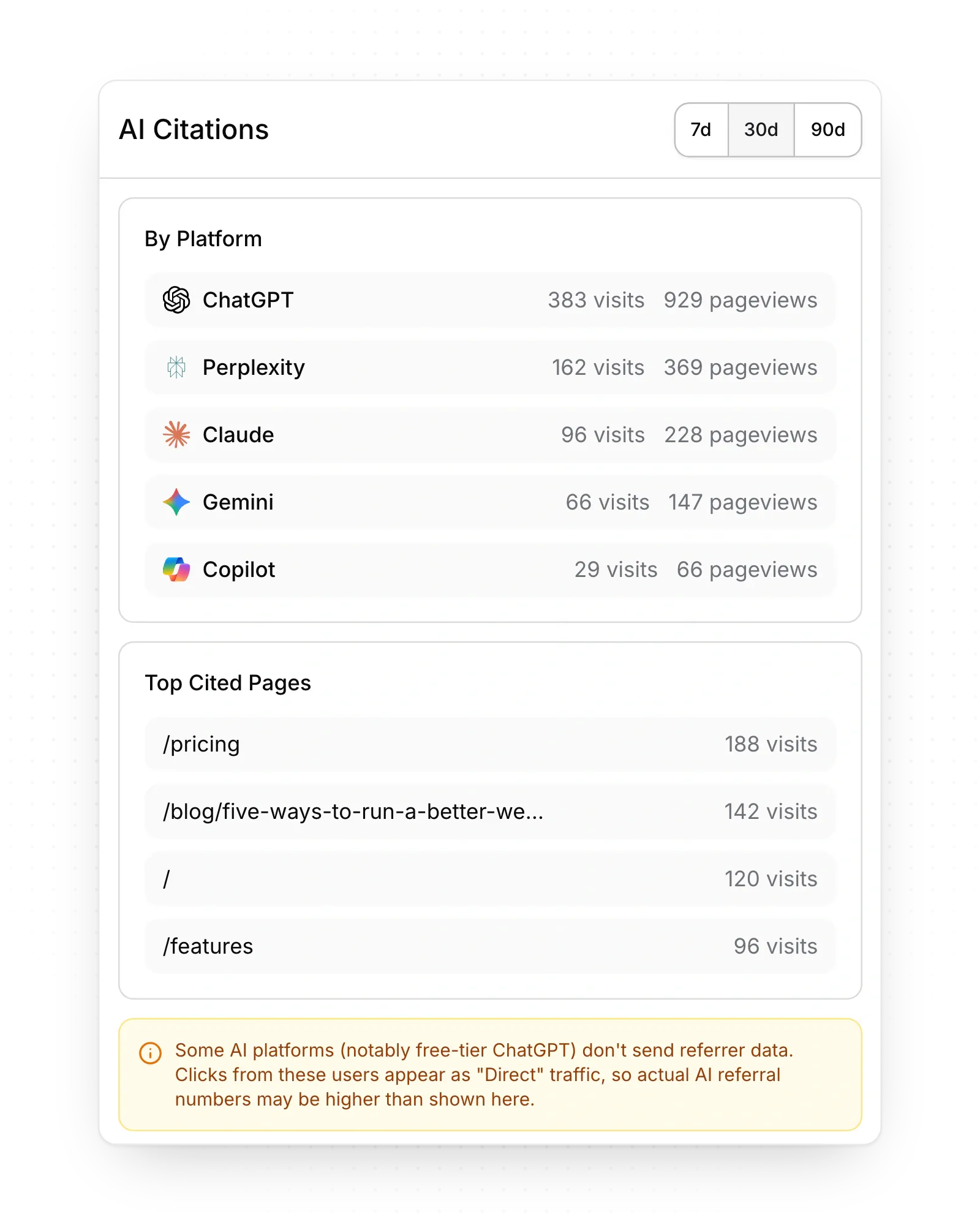
Assistants Pixelesq recognizes
ChatGPT, Perplexity, Claude, Gemini, Copilot, You.com, Poe, Meta AI and DeepSeek. Pixelesq spots them from the site a visitor came from.
Limits
- Only clicks count. A mention of your site that nobody clicks doesn't show here.
- Visits from AI crawlers and bots aren't counted.
- Clicks from Google's AI Overviews come from Google, so they count as Google visits. Grok isn't on the list.
- Free ChatGPT often hides where a visit came from, so some of its visits count as direct traffic.
Common questions
Why does it say "No AI referral traffic yet"?
No visits from these assistants arrived in the period. Try 90d.
How do I get more visits from AI assistants?
Assistants link to pages they can read and understand. Let AI crawlers read your site and add structured data to your pages.
On this page
See your AI trafficAssistants Pixelesq recognizesLimitsCommon questions
Prerequisites
Still have questions?
Ask Pixel in your dashboard. It can make many changes for you, or take you to the right screen. Our team can also help you plan, build or move your site.


