HELP CENTER -> Analytics & performance
See your website traffic, visitors and pageviews

See your traffic
- In the sidebar, under manage, click analytics.
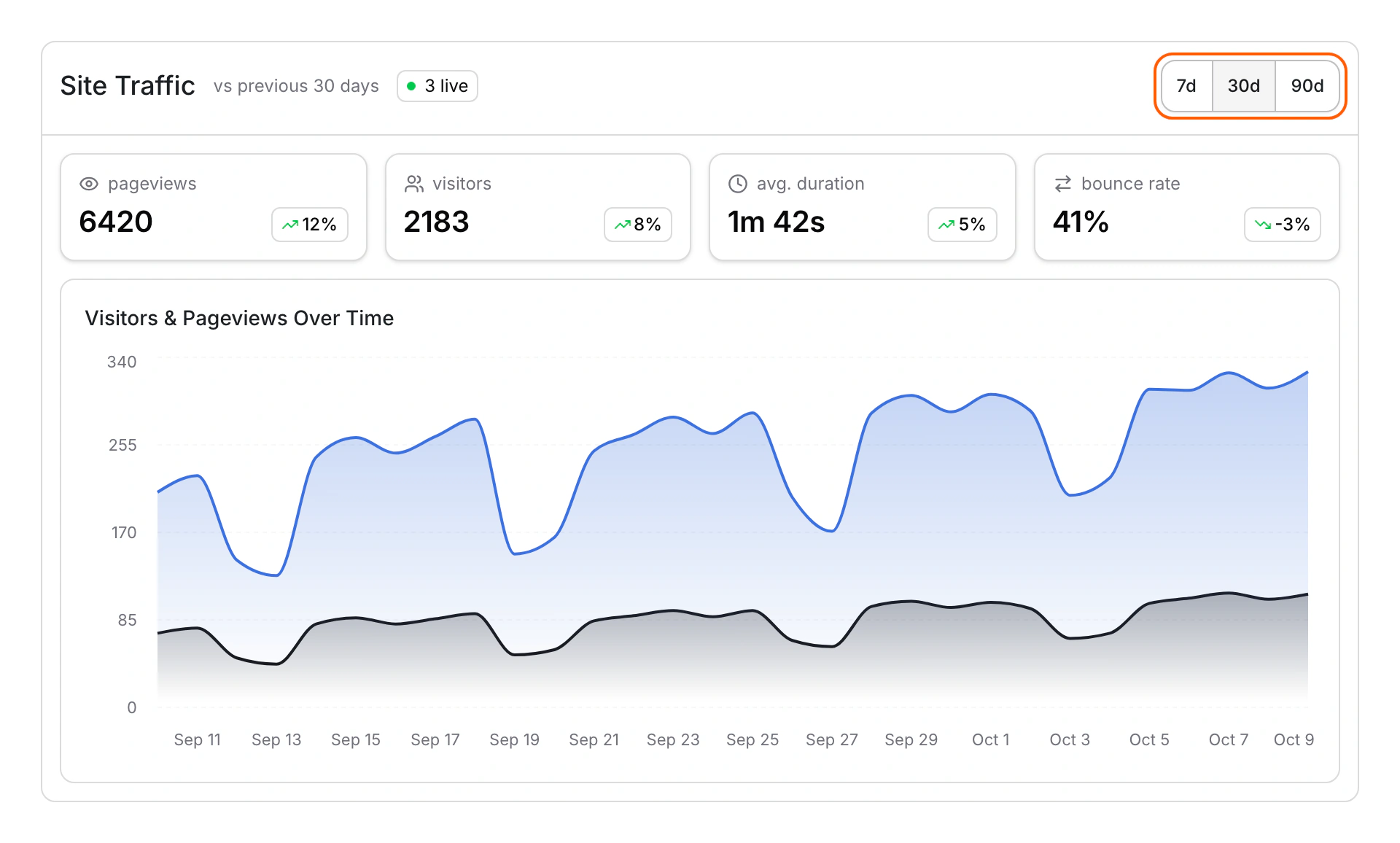
- Open Site Traffic.
- Pick 7d, 30d or 90d. 30d is the default.
- Read the cards: pageviews, visitors, avg. duration and bounce rate. Each shows the change from the period before.
- Check Visitors & Pageviews Over Time for each day. When people are on your site right now, a badge shows how many are live.
See your busiest times
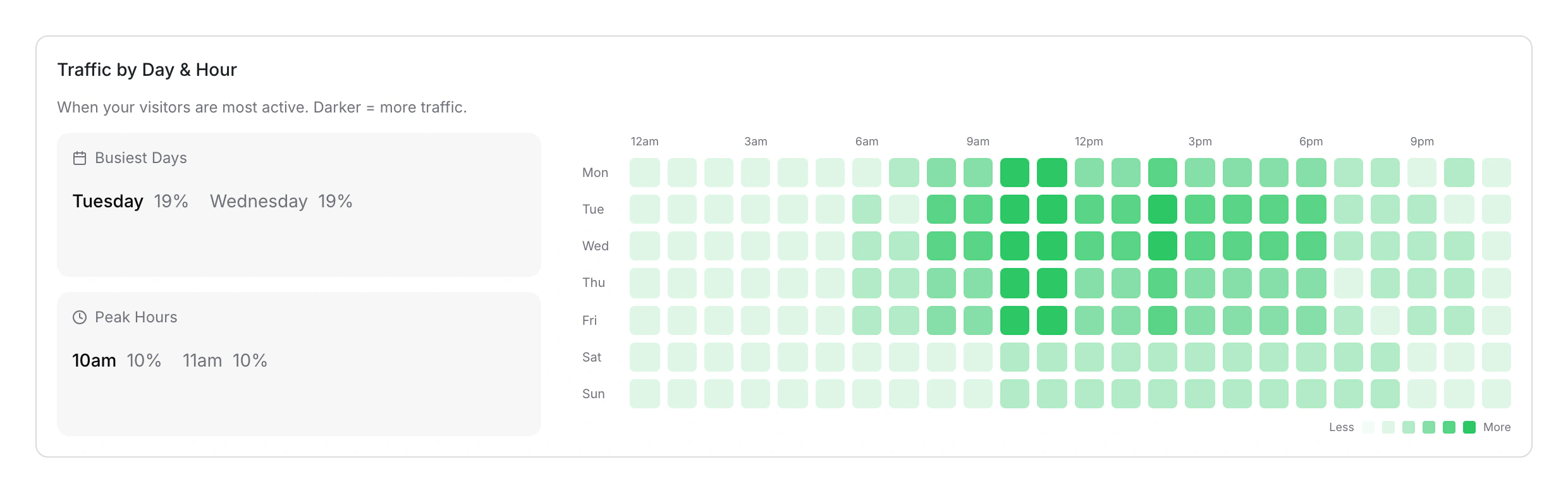
- On Site Traffic, scroll to Traffic by Day & Hour. Darker cells mean more traffic.
- Hover a cell to see its visits.
- Read Busiest Days and Peak Hours for the top two of each.
Limits
- Visitors are counted as visits. A visit ends after 30 minutes without activity, so one person can count more than once.
- Only published pages count, on your Pixelesq address and your own domain. Editor previews never count.
- Your own visits to the live site count too.
- Custom date ranges aren't available, and data from Google Analytics can't be imported.
- The heatmap shows when people visit. Click and scroll heatmaps aren't available.
Common questions
Why are all my numbers zero?
No one visited a published page in that period. Publish your site, then visit it in a browser to check.
Can I add Google Analytics as well?
Yes. See Add Google Analytics, GTM or a Meta Pixel.
Can I see visits from ChatGPT and other AI assistants?
Yes, on the AI Citations tab. See See visits from ChatGPT and AI assistants.
On this page
See your trafficSee your busiest timesLimitsCommon questions
Prerequisites
Still have questions?
Ask Pixel in your dashboard. It can make many changes for you, or take you to the right screen. Our team can also help you plan, build or move your site.


